How to Combine Puzzle and NextStep to Improve Organizational Processes (Workflow Clarity + Accountability)
If your organization’s processes feel hard to replicate, hard to train, and hard to measure, pairing process mapping with step-by-step execution support can help. In this guide, I will explain how to combine Puzzle (to map work and estimate operational cost) with NextStep (to document each step and track runs) so teams and partners can execute processes with less confusion and better accountability.
I am writing this from the perspective of someone who evaluates tools through the lens of organizational resilience, process clarity, and real-world execution. The goal is not “more software.” The goal is fewer gaps between “we know what to do” and “we reliably did it the same way, every time.”
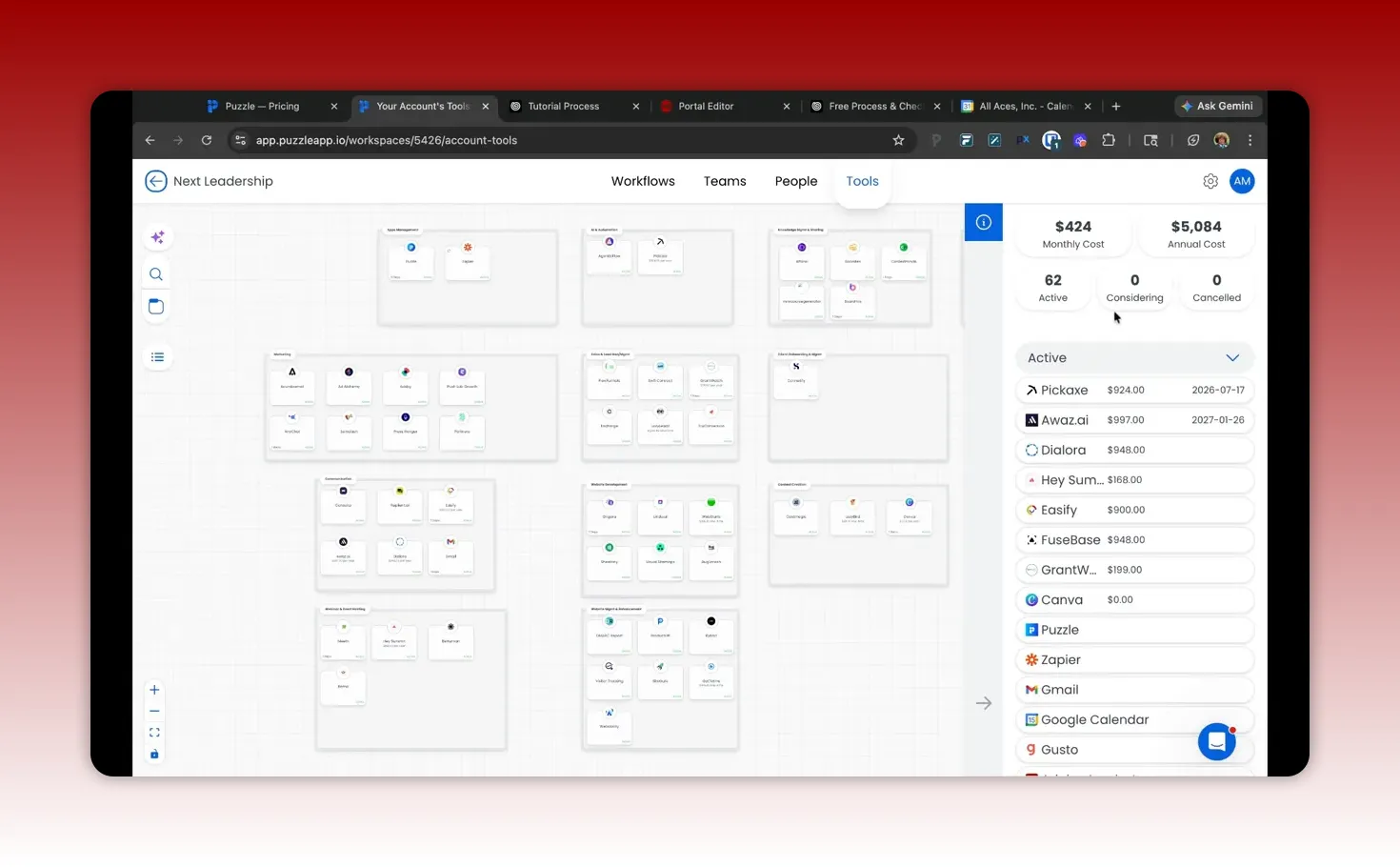
Quick answer: Use Puzzle to get the big-picture map (including cost drivers). Use NextStep to turn parts of those processes into guided, documented execution with tracking for each run, clear “definition of done,” and repeatable templates.
What Puzzle and NextStep each do (and why both are useful)
Puzzle: process mapping and operational cost clarity
Puzzle is strongest when you want a structured view of how work flows through tools, teams, and workflows. It helps you think in systems, not isolated tasks. A particularly valuable capability is the way it can estimate cost implications by tracking tools and labor inputs, then carrying that into workflow costing.
NextStep: step-level documentation and execution accountability
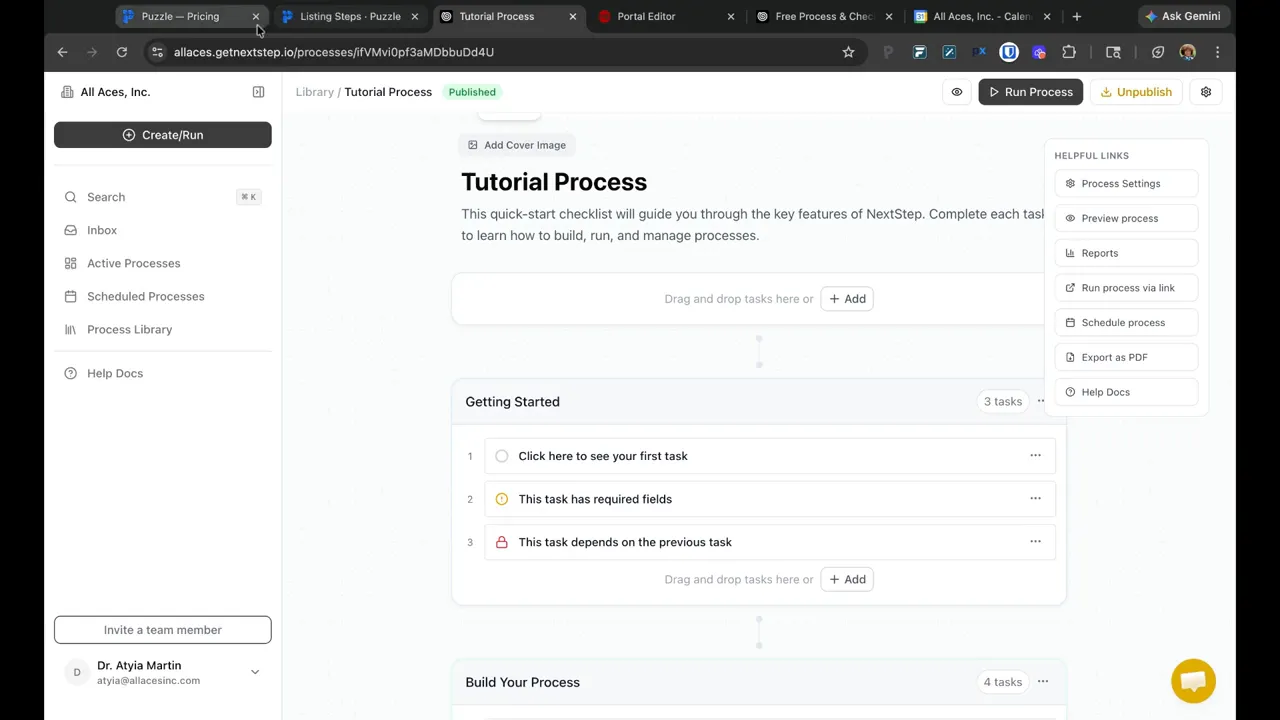
NextStep helps convert process knowledge into actionable steps that people can follow. Where many teams stop at checklists or documents that do not enforce completion, NextStep is designed to capture step instructions, required information, dependencies, due dates, and content links that make it easier for internal team members and external partners to complete their part of a process.
It also supports visibility into each run of a process, so you can measure how often work is executed, how long it takes, and whether the expected steps were completed.
Why teams get stuck without step-level execution tracking
Many organizations document processes as:
Bulleted checklists
Documents or SOPs that someone reads once
Notion or ClickUp pages that are “reference-only”
Workflow diagrams that explain what should happen, not what actually happened
These approaches can be useful. The problem is accountability. A checklist might exist, but it does not reliably capture:
Whether the step was completed for a specific run
When it happened
Which assignee completed it
What inputs were provided
Which prerequisites blocked progress
What “done” means and whether it was actually met
When that data is missing, training becomes harder. Recurring work drifts. And leadership cannot confidently answer, “Did we run the process as designed?”
The practical pairing: map the system, document the steps, track the runs
The combined approach works best when you treat Puzzle and NextStep as complementary layers:
Layer 1 (Puzzle): the system view. Tools, workflows, cost drivers, and how work moves across your organization.
Layer 2 (NextStep): the execution layer. Each step has instructions, required fields, dependencies, and run tracking.
The bridge: embed or link NextStep into the place where the process is initiated and tracked in your broader workflow ecosystem.
Where this combination fits best (use cases)
You do not need to automate everything. Start where process drift or handoff complexity creates real cost, risk, or delays. Common high-impact use cases include:
1) Vendor and client onboarding
Onboarding often needs step-level guidance because different stakeholders provide different inputs. NextStep can capture required fields, dependencies, and due dates so partners know what to do and internal teams know what is missing.
2) Recurring back-office workflows
Monthly reconciliation, reporting cycles, approvals, and closeout processes benefit from templates and run history. The key is measuring cycle time and ensuring the steps for “done” are actually completed.
3) Marketing and content operations
When marketing involves multiple tools and approvals, Puzzle can help estimate tool and labor costs. NextStep can document execution steps like “publish,” “QA,” “metadata check,” and “tracking verification,” including the inputs that must be provided each run.
4) Program operations with external participants
Programs often need consistent operational procedures, especially when multiple partners or teams are involved. NextStep is particularly helpful when you want to guide external contributors through defined steps while recording completion status and timing.
Step-by-step: how to combine Puzzle + NextStep in a real workflow
Below is a practical implementation approach you can adapt. The sequence matters: document the system first, then operationalize the steps.
Step 1: Pick one process that repeats (or repeatedly breaks)
Choose a process where you already know:
Steps exist, but execution quality varies
Handoffs create friction
Time-to-complete is inconsistent
There is a compliance or quality requirement
If you cannot identify a process with recurring effort or recurring risk, start smaller by selecting a single phase. For example, “intake and requirements collection” within a larger onboarding workflow.
Step 2: Map the process in Puzzle to make costs and tool dependencies visible
In Puzzle, build a process map that represents the workflow at the system level.
Identify the tools used per step
Define which workflows connect to which tool actions
Include team roles or capacity assumptions where possible
Use costing insights to clarify why the process matters (or where cost is concentrated)
This is the layer that helps leadership answer: “What does this work really cost, and what drives that cost?”
Step 3: Extract the execution-critical steps to document in NextStep
Not every diagram box needs to become an execution run step. Focus on:
Steps where errors are costly
Steps that require inputs from someone else (internal or external)
Steps with prerequisites (dependency chains)
Steps that define “done” for a given run
In NextStep, create a structured process with:
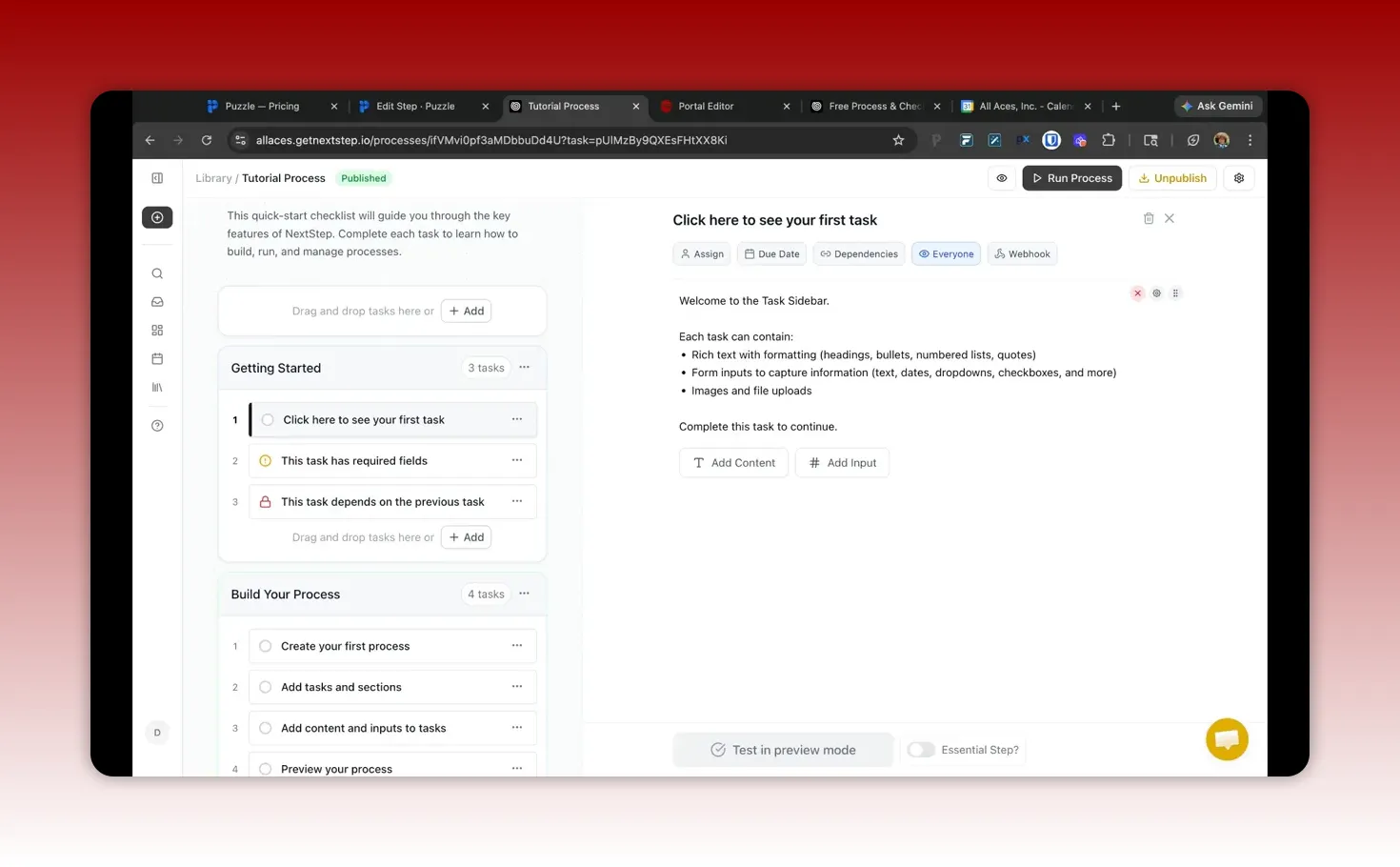
Step content: instructions, links, and checklists
Assignments: who is responsible for each step
Due dates: when steps should be completed
Required fields: what inputs must be collected
Dependencies: what must be completed before progress
Templates: reuse where the process repeats monthly or per cohort
Step 4: Connect outputs to where they need to live (optional integrations)
NextStep can support data movement (for example, pushing collected inputs to other tools or databases via webhooks or API connections as they become available). Even when full integration is not immediately possible, you can still structure steps so required outputs are collected consistently.
Practical principle: If you cannot integrate yet, design “definition of done” around the exact fields you will eventually sync.
Step 5: Embed or launch NextStep from the surrounding workflow space
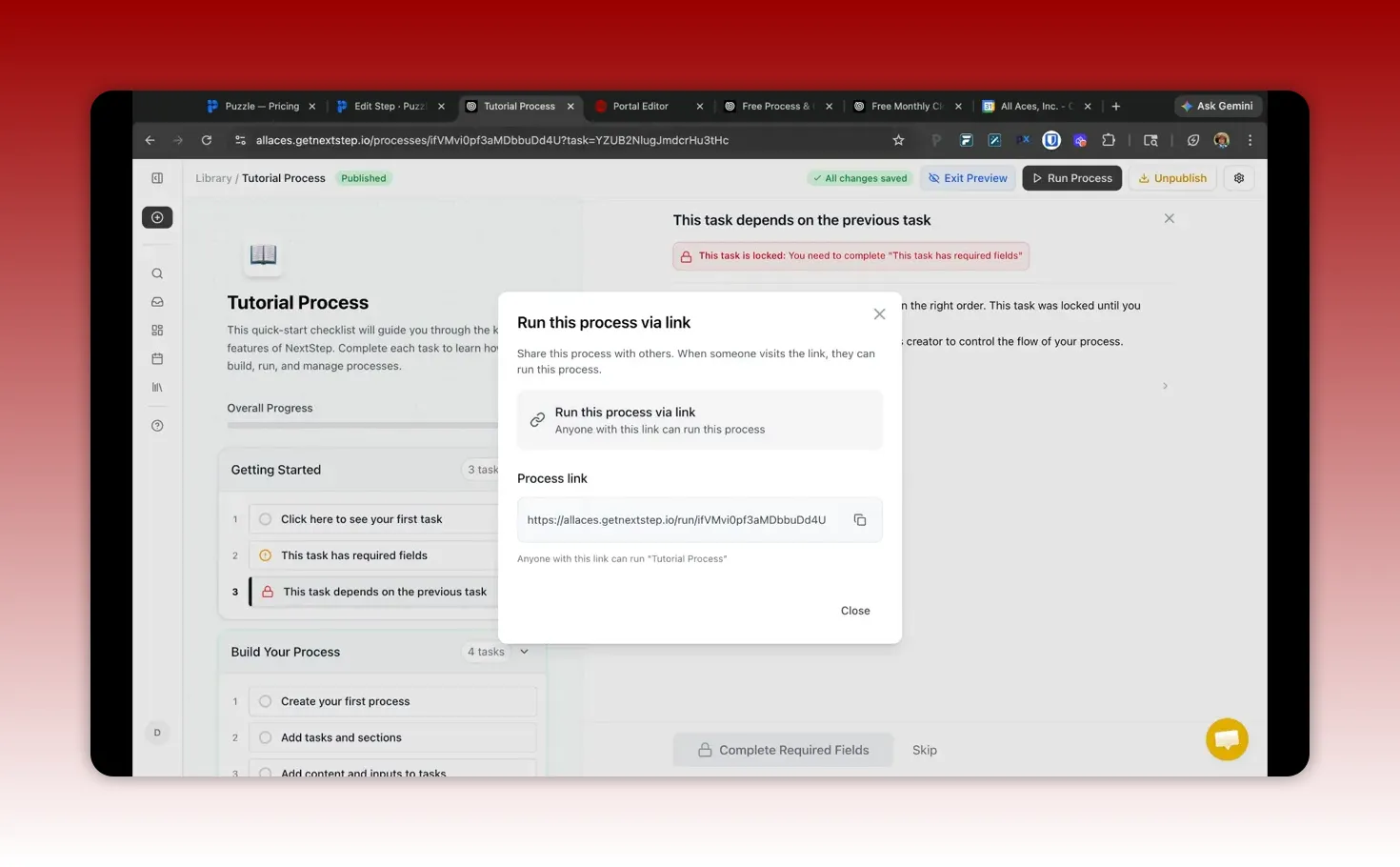
The bridge between the system map and the execution run can be a link or an embedded block inside the environment where people already operate. The goal is simple: make it easy for the right person to start the run and impossible to “wing it” without following the documented steps.
When embedding NextStep into a portal or internal page, consider:
Security and risk mitigation (avoid exposing shareable URLs when not appropriate for internal-only use)
Usability (adjust layout so the run is usable on the device people actually use)
Start experience (ensure the UI clearly prompts “start” and shows the active status)
Step 6: Use run history to improve the process, not just monitor it
Once NextStep tracks each run, you gain operational data you can use to make improvements.
Common metrics to review:
Number of runs completed per period
Status outcomes per run (complete vs stalled vs partial)
Total time to complete each run
Which step most often delays completion
How frequently dependencies block progress
Pair that with Puzzle’s system-level view and costing insights to decide what to optimize. Sometimes the bottleneck is people time. Sometimes it is tool friction. Sometimes it is missing inputs.
A concrete example: turning a workflow into an onboarding-grade execution process
Here is the shape of the workflow that typically makes the combination succeed.
Puzzle side: define the system and cost drivers
Map the onboarding workflow across internal tools
Identify where partner inputs are required
Estimate cost drivers (tools used, review cycles, staff time)
NextStep side: enforce step execution and definition of done
Create an onboarding run that starts with collecting required fields
Add dependencies like “only proceed after identity verification documents are received”
Include “definition of done” for each stage (for example, “portal access granted and confirmation recorded”)
Record due dates and required approvals
Track each run so you can measure completion time and failure points
The result
Partners know exactly what to submit and in what format
Internal teams know what is missing without chasing
Leadership can measure cycle time and cost implications
Training becomes easier because execution is standardized
Templates: how to scale without reinventing every process run
One reason many process documentation systems fail is that teams treat them as one-off documents. Templates change that behavior. NextStep templates help standardize repeating procedures.
When building templates, ensure each template has:
Clear step names (so the assignee understands the task immediately)
Required inputs for each step
Dependencies that prevent skipping prerequisites
Locked sections or controlled flow so the run cannot proceed out of order
Runable definition of done for the final step
Then, when the process changes, update the template once and propagate the standard across future runs.
Pitfalls to avoid when combining Puzzle and NextStep
Tool pairing can be powerful, but the biggest risks come from process design mistakes. Here are common pitfalls:
Pitfall 1: Documenting a perfect system that no one follows
Mapping processes in Puzzle is not enough. NextStep must reflect how work is actually executed. If your steps are unrealistic, the run history will simply capture “frequently skipped” steps.
Pitfall 2: Building checklists without requiring evidence of completion
If the process does not capture required fields or completion criteria, you end up with “someone said they did it” instead of “someone completed it according to definition of done.” NextStep’s run structure is what solves this.
Pitfall 3: Ignoring dependencies and prerequisites
When dependencies are missing, people complete steps out of order and then ask later where to find the right inputs. Dependencies reduce rework and prevent downstream failures.
Pitfall 4: Failing to measure cycle time
Tracking runs without reviewing time and bottlenecks turns the system into reporting theater. The run data should drive process improvements.
Pitfall 5: Over-automating before clarifying “done”
Even if integrations are available, do not automate the wrong thing. First ensure the steps and required inputs define completion clearly. Then automate the movement of data.
How to roll this out without overwhelming teams
If you try to rebuild all processes at once, adoption will stall. A resilient rollout plan helps:
Choose one pilot process with recurring work or clear risk.
Build the NextStep run with just enough steps to ensure definition of done.
Embed it into the normal work environment so people can start the run easily.
Review run outcomes weekly for the first 3 to 4 cycles.
Refine step instructions based on where runs stall or fail.
Expand to the next process once the first template is stable.
This incremental approach improves the documentation quality while building trust in the system.
Common questions about using Puzzle with NextStep
Is this combination only for large organizations?
No. Small teams can benefit just as much, especially when they have partner handoffs, recurring admin work, or unclear responsibilities. Start with one process that repeats monthly or per cohort and build the execution template in NextStep.
Do I need complex automations to get value?
No. The core value comes from step-level documentation and run tracking. Integrations and webhooks are an enhancement, not a prerequisite for accountability and process improvement.
What should be documented in NextStep versus only mapped in Puzzle?
Document in NextStep the steps where completion needs to be verified, inputs need to be collected, and dependencies matter. Map in Puzzle the system level, including tools used, workflow structure, and cost drivers. A good rule is: if “done” can be defined for that step, it belongs in NextStep.
How do I define “definition of done” for a step?
Specify the exact required inputs, approvals, or confirmations needed. Then make those requirements explicit as required fields, dependencies, and a final completion step. Definition of done should be measurable, not subjective.
How do run history and costing insights work together?
NextStep run history shows how often the process happens, which steps delay completion, and total cycle time. Puzzle’s costing helps you understand the operational impact of that cycle time and tool usage. Together, they point to what to optimize and why.
Takeaways I use when evaluating process tools
When I evaluate software for organizational resilience and operational clarity, I look for three things:
Clarity: Are processes understandable and repeatable?
Accountability: Can you prove what happened for a specific run?
Improvement: Does the system generate data that helps you reduce cycle time and rework?
The Puzzle + NextStep pairing aligns with these criteria because it supports both the system map and the execution record. That means you are not only documenting how work should run. You are also measuring how it actually ran and where it needs strengthening.
Next step: choose your first process to operationalize
If you want a fast starting point, pick one workflow phase where:
Multiple tools are involved, or
Inputs must be collected from someone else, or
Completion is currently hard to verify, or
It repeats often and has drift over time
Then map it in Puzzle, document the execution steps in NextStep, and embed the run where work already starts. After 3 to 4 runs, review outcomes, refine definitions of done, and expand.
Bottom line: Puzzle helps you see and cost the process system. NextStep helps you execute the steps reliably and track every run. Combined, they reduce the gap between planning and performance.
This article was created based on the video Combining Puzzle & NextStep for Improving Systems & Processes in Organizations?.