
FuseBase Review
This article was created based on the video FuseBase Deep Dive Review for AppSumo Build Different Event.
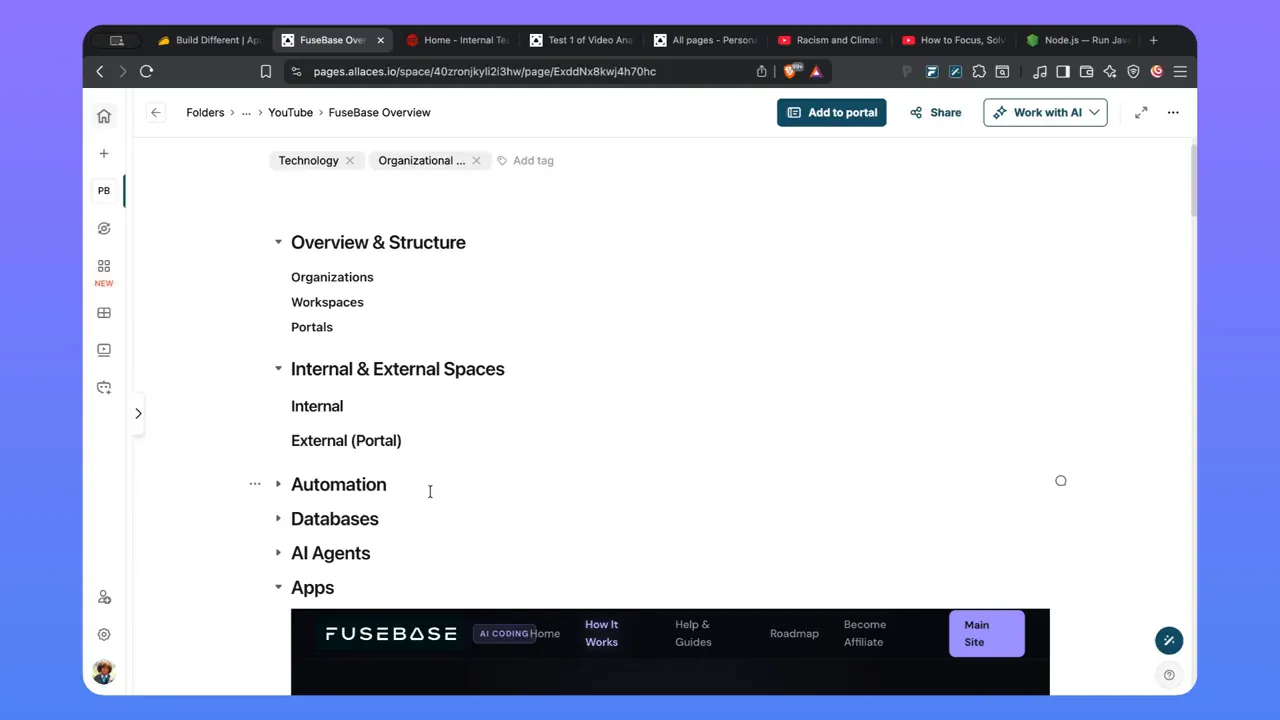
FuseBase is a “work operating system” that combines structured storage, internal and external portals, databases, AI agents, and automation. If you manage multiple organizations, clients, or programs, FuseBase can help you organize information once and reuse it across workflows. If you are more personally focused, it can also become a private knowledge management hub for documents, transcripts, links, and health or research notes.
In this FuseBase review, I break down what matters most in practice: how the workspace and portal structure works, how databases and AI agents fit together, what automation can do, and where teams run into limits. I also include a setup checklist you can follow to get to a usable system quickly.
Who this is for: agencies, nonprofits, teams that serve multiple clients, consultants, ops leaders, and anyone who needs a single system to connect knowledge, tasks, and reporting.
What you will learn: what FuseBase components do, how to structure organizations and portals, how to build agent-assisted workflows, and how to think about app building (including constraints by plan).
What FuseBase is (and why it feels different from “just another tool”)
Most tools separate knowledge, tasks, and reporting. FuseBase aims to connect them. The core idea is that your system has:
Spaces for internal work (team knowledge, docs, pages, meeting notes).
Portals for external access (client-facing or funder-facing views, often with a custom domain).
Databases for structured data you can query and connect to workflows.
AI agents that can read content in your system and produce outputs aligned to your goals.
Automation that keeps information flowing between databases, apps, pages, and reports.
Instead of treating AI as a standalone chat box, FuseBase treats it as a tool that can work inside your connected information architecture.
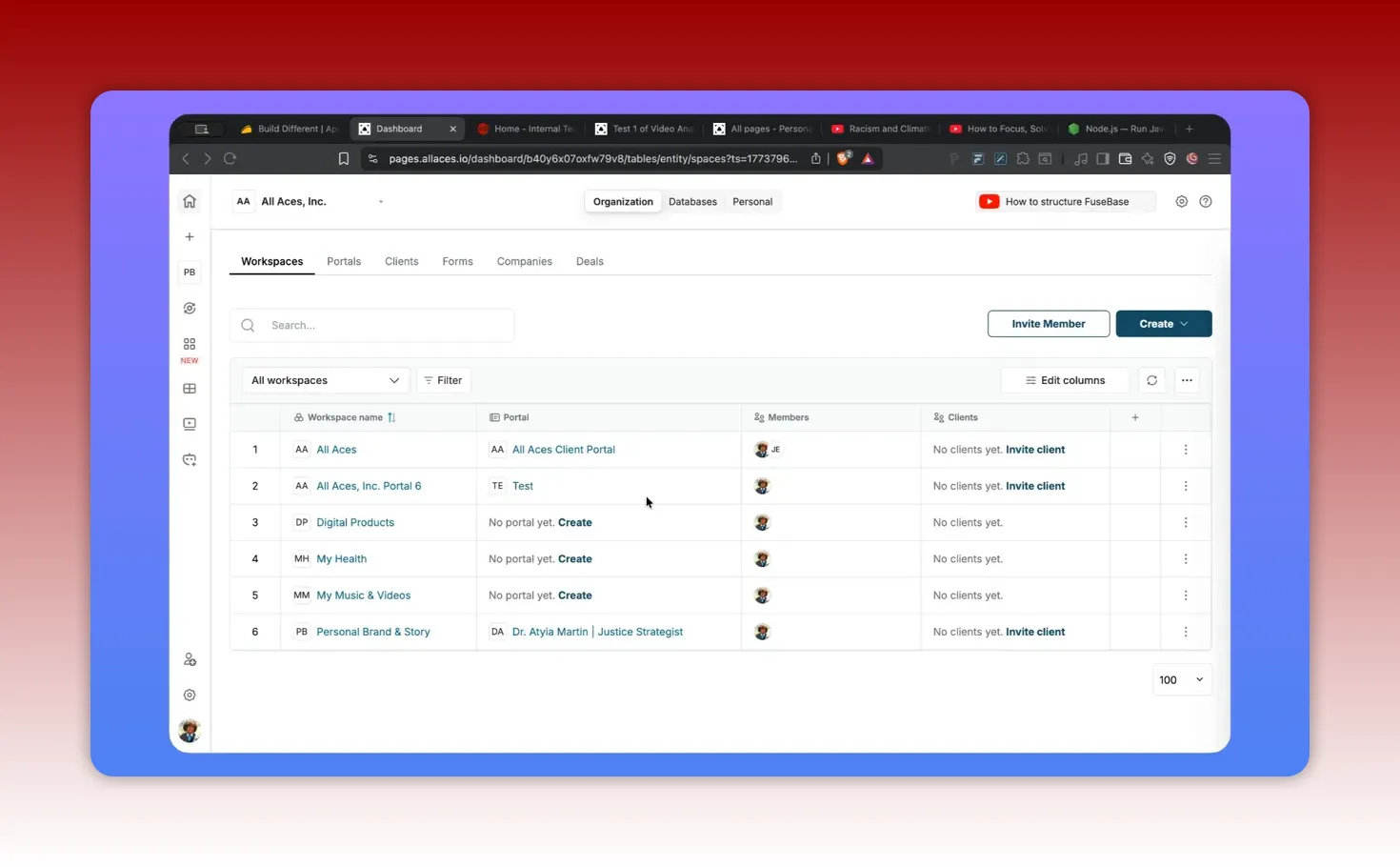
Fast mental model: organizations, workspaces, and portals
FuseBase structure is what makes everything else possible. If your setup is confusing, permissions and reuse will feel harder than they need to be. Here is the mental model I use when planning a system.
Organizations: separate “worlds” for access and AI behavior
An organization is a boundary. It typically exists for a reason such as:
Separate access for different teams.
Distinct AI agents per organization.
Different usage plans or client groupings.
If you have multiple organizations (for example: a business, a nonprofit, and a personal space), you can keep their data and agents cleanly separated.
Workspaces: where portals live
A workspace acts as the container for a portal. If you want a portal for a client, funder, or partner, that portal is tied to its own workspace.
Practical implication: if you are building for clients, plan workspace creation first, then portal setup inside those workspaces.
Portals: the external “front door”
A portal is how people outside your team get structured access to information. Portals are often:
Custom branded with a domain (useful for nonprofits and agencies).
White-labeled per client or standardized with a single entry point.
Structured around process maps, docs, meeting notes, and reporting links.
How FuseBase databases work (and why they matter more than pages)
Pages are where information is consumed. Databases are where information becomes operational. If you want AI and automation to produce reports, track deals, or summarize changes, you need structured data.
Editable columns and table customization
FuseBase databases allow you to define fields and customize them for your workflow. You can adjust column settings based on how you want to organize information.
This is especially important when migrating from another tool. Column structure is often the first thing that needs “cleaning” to fit the new environment.
Subtables: a row-specific structure pattern
FuseBase supports a subtable concept that is not like traditional relational database joins. A subtable is effectively attached to a row as its own nested table. This is useful when a single record needs multiple small groups of related fields.
Example use cases:
In a sales pipeline deal, store multiple project deliverables per deal.
In a marketing campaign record, store multiple landing page variants and metrics.
In a training program record, store module breakdowns and completion status.
Linked data across tools
FuseBase databases are designed to connect data sets. In practice, that means you can link entities like:
Software subscriptions to programs
Affiliate or referral programs to specific tools
Clients to companies and portals
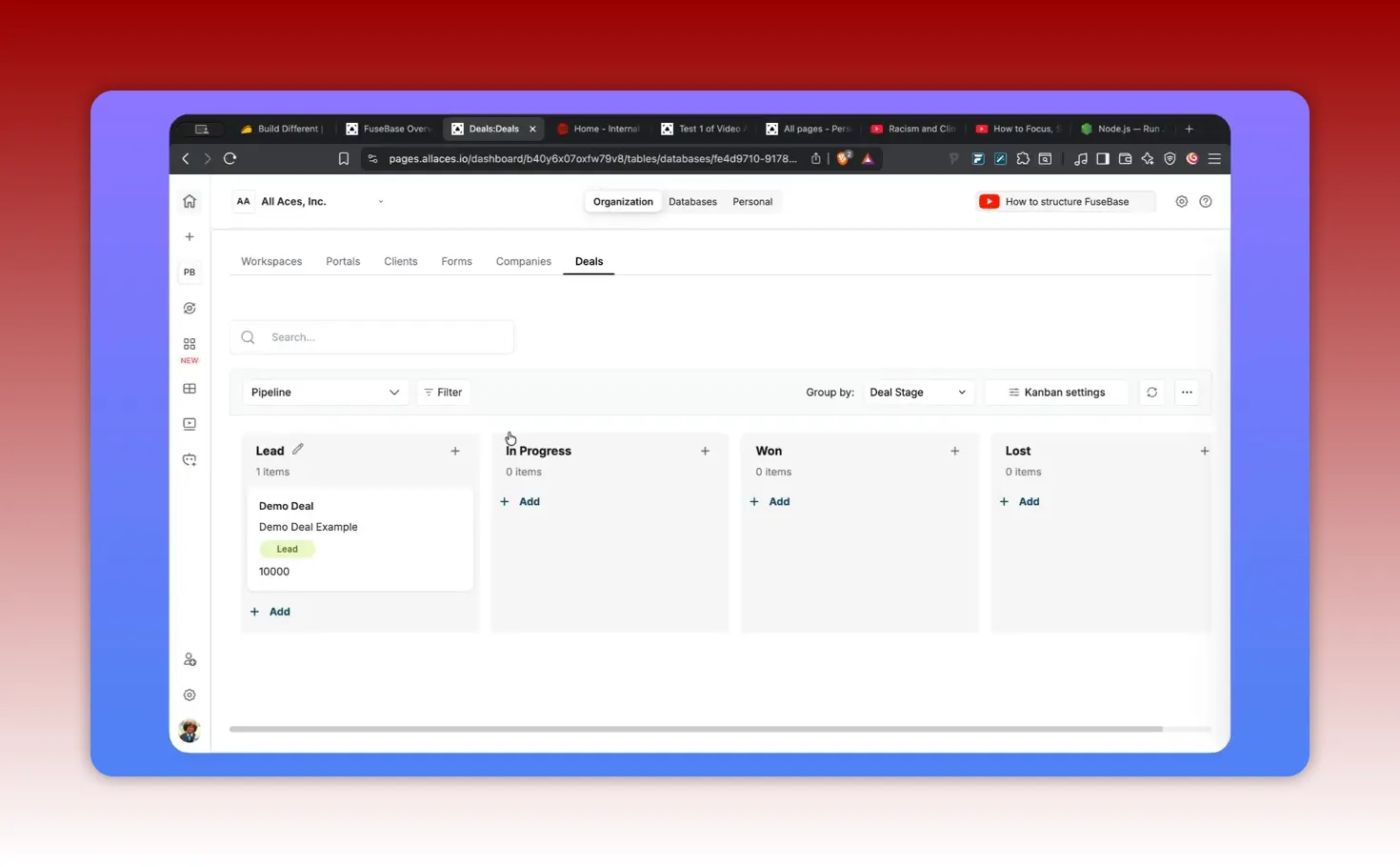
Deals, Kanban, and reporting-ready workflows
FuseBase can represent operational progress in views like Kanban. For example, a deals board can track:
Deal names
Stages (manual or drag-and-drop movement)
Associated clients and companies
Files and attachments relevant to the deal
From an operations standpoint, the value is not just the board. The value is that the board is backed by database records that can trigger automation and feed AI-generated summaries.
AI agents: how to turn your knowledge into repeatable outputs
The biggest shift with FuseBase is how AI is connected to your stored information. Instead of asking generic questions, you configure agents around specific tasks and feed them content you already manage.
Create or customize agents for repeatable work
FuseBase includes multiple agent types. You can use pre-built agents or create customized ones. I recommend starting with a job-to-be-done approach:
Summarize long content into a structured outline.
Extract data points into tables or fields.
Draft content in a consistent style.
Translate jargon into plain language.
Generate reporting updates from database changes.
One practical agent pattern: long-form to structured knowledge
A high-leverage pattern is converting long content (videos, PDFs, long texts) into structured outputs. This kind of agent can produce: Summaries, Key takeaways, Drafts for emails/blogs.
Headings and subheadings
Main ideas and key arguments
Quotes or important considerations
Action recommendations for specific audiences (individuals, nonprofits, businesses)
Once that content becomes structured, you can paste it into pages or connect it to pages for easier reuse. It also becomes askable, meaning your AI assistants can reference it later.
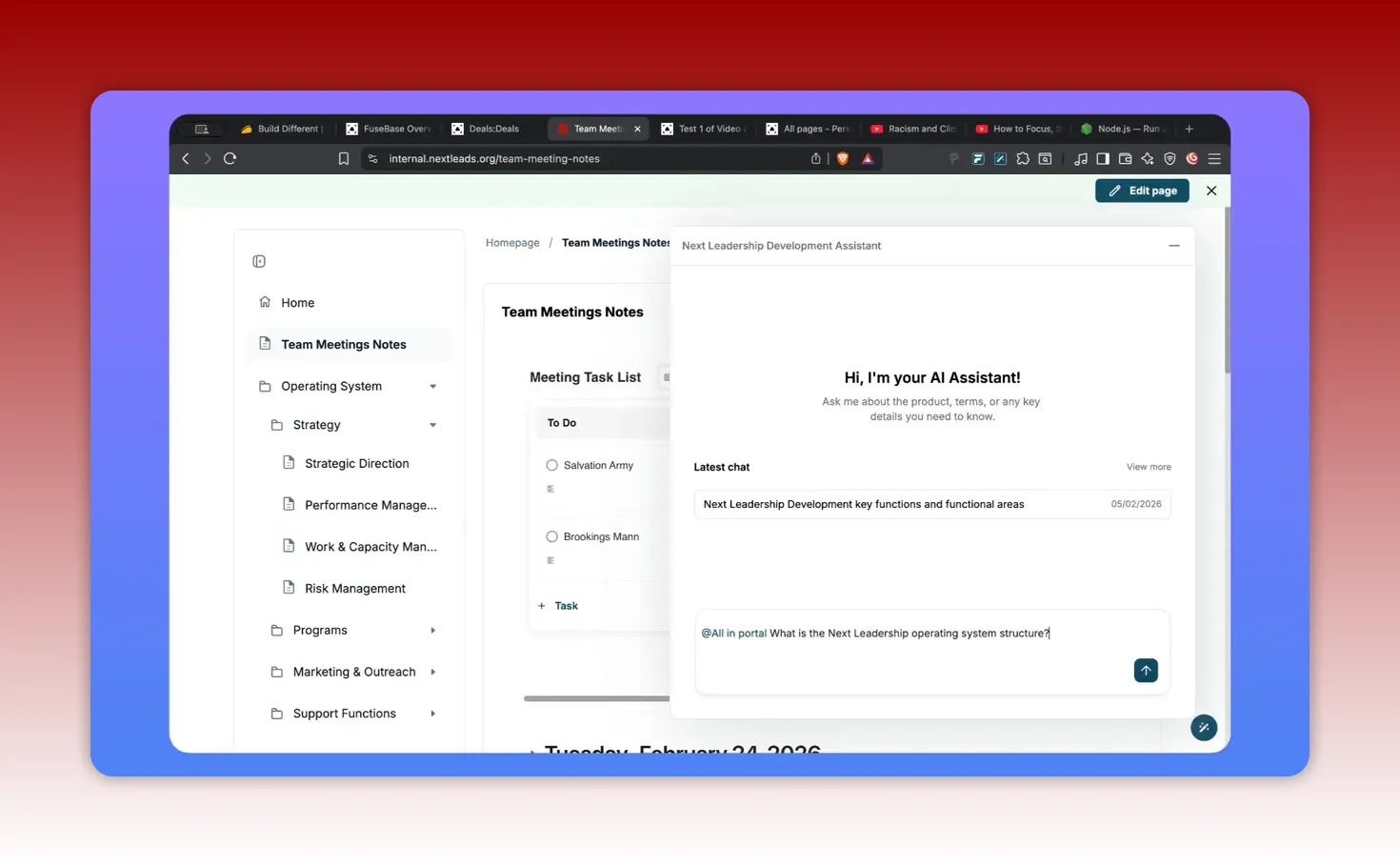
Embedding AI into internal and external portals
FuseBase also supports an AI assistant experience inside portals. If your portal content is connected to your internal knowledge base, users can ask questions and receive answers that reference the relevant sections. That is useful for: Customer support, Training, Marketing collateral.
Client onboarding
Team orientation
Funder reporting support
Internal knowledge discovery
Automation: the glue between databases, pages, and reports
Automation is where systems stop being static. The typical pattern looks like this:
A new record is added to a database.
An app or page gets updated based on the record.
An AI agent summarizes the updated information.
A weekly (or recurring) report is generated and placed into a folder or page for easy access.
This reduces manual reporting work and helps teams maintain a consistent rhythm of updates.
Why automation beats “periodic copy/paste”
Copy/paste reporting is fragile. It breaks when:
Data changes mid-cycle.
People forget to update a doc.
Different team members interpret “what to report” differently.
Automation makes reporting a byproduct of structured work, not an extra task that relies on memory.
Apps (vibe coding): build custom tools on top of FuseBase
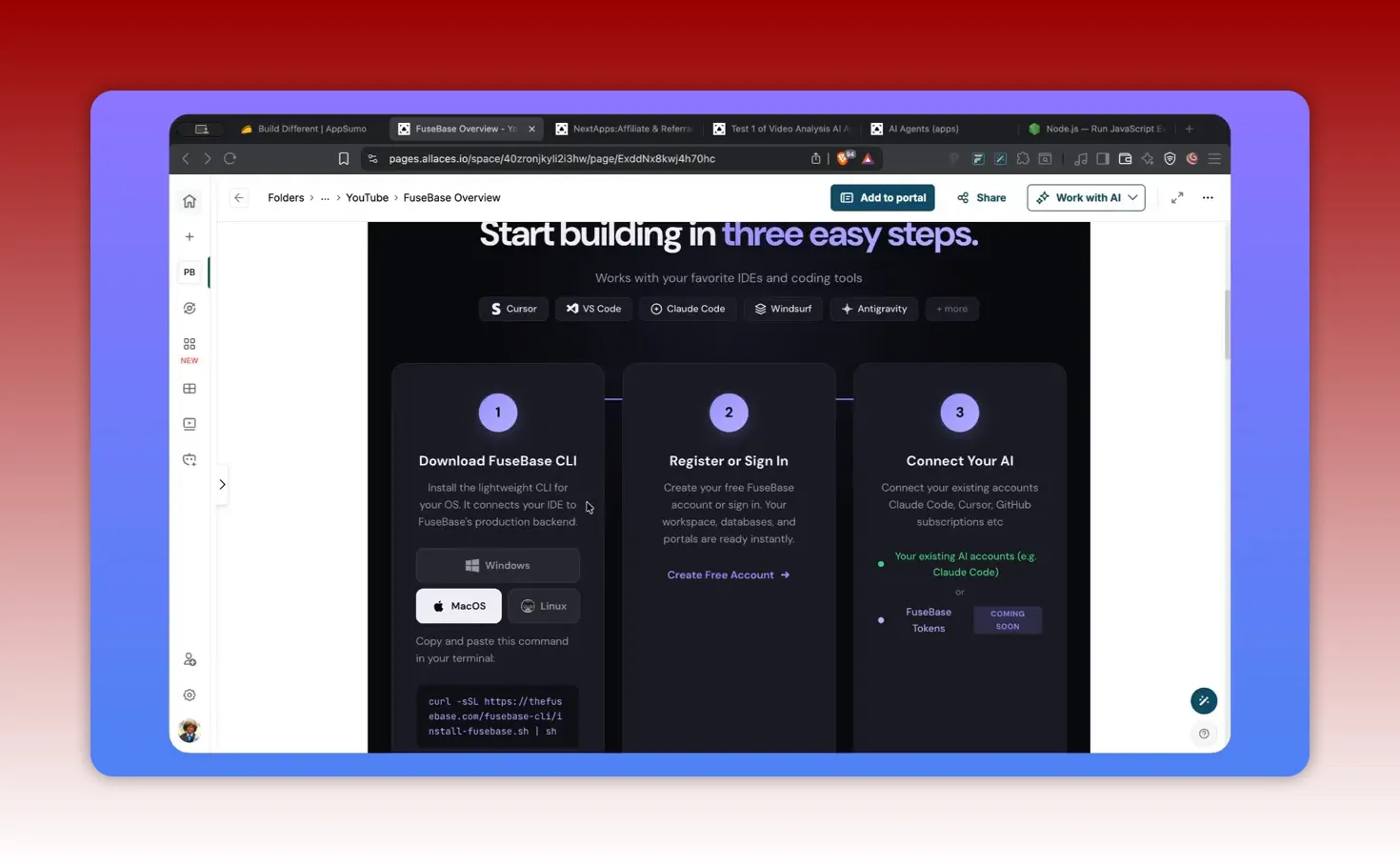
If you want more than embedding pages and using pre-built views, FuseBase provides an app-building layer. The concept is: use FuseBase infrastructure and databases as the backend foundation, then create custom front ends that you can embed into portals and pages.
High-level components:
FuseBase CLI (installed locally)
An IDE such as Cursor or similar tools
Prompts and code generation for a custom app
Embedding the resulting app into the FuseBase environment
Even if you are not a developer, you can still use vibe coding approaches. But you should expect a learning curve, especially when your environment requires extra dependencies.
Plan limitations: why “apps” count matters
One key constraint is how many externally accessible “full stack” apps you can create based on your plan. Internally embedded apps can be higher in count, but standalone external apps accessible to non-FuseBase users are limited.
How I plan around this:
Embed most operational tools inside internal portals or client portals.
Only create standalone external apps when there is a clear user need and value.
Reuse the same internal app structure across multiple portals rather than building duplicates.
Security and compliance considerations
When FuseBase is used for sensitive data, you need assurance on security posture. FuseBase is designed with security and compliance support (including HIPAA and SOC 2 claims) and has structured data access patterns that can help teams maintain privacy.
If you are using FuseBase for health-related records or other sensitive categories, confirm your use case and data handling responsibilities with your organization’s compliance guidance. Tool claims do not replace internal governance.
Setup checklist: build a usable FuseBase system in phases
Below is a practical plan I use to avoid getting stuck in configuration. It is designed for teams and solo operators alike.
Phase 1: structure and access
Create organizations for each meaningful boundary (business, nonprofit, personal).
Decide your portal model: one per client, one shared portal, or hybrid.
Assign permissions at the workspace and page level so access matches roles.
Use white labeling or domains if branding and client experience matter.
Phase 2: operational pages and process hubs
Create a process hub page that links to your major functions (workstreams, programs, capacity management, risk management, etc.).
Embed or link to critical documents and meeting notes.
Make sure the portal content supports “how we work” and “what decisions matter.”
Phase 3: databases for tracking and reporting
Start with one database that drives real work (deals, programs, projects, clients, or submissions).
Define columns intentionally. Add only what you will use.
Use subtables for nested content that belongs to a single record.
Connect files and key entities so records are actionable.
Phase 4: AI agents that support repeatable outputs
Create one agent for summarizing long content into structured notes.
Create one agent for turning database updates into weekly reporting drafts.
Embed the AI assistant in the most important portal so the team and clients can ask questions.
Phase 5: automation that eliminates manual reporting
Automate when records are added or updated.
Generate weekly summaries into a designated page or folder.
Test automation on a small subset before scaling.
Common mistakes to avoid
FuseBase is powerful, but it is also easy to misconfigure if you skip fundamentals. These are common mistakes I see:
1) Building pages first without structuring databases
If your goal includes reporting, tracking, or agent-generated updates, you need structured records early. Otherwise, AI output becomes generic and automation becomes hard.
2) Too many organizations too soon
Separating by organization is useful, but each organization creates an additional setup boundary. Start with the boundaries that actually matter for permissions and agent separation.
3) Under-planning the portal experience
Portals are not just links. They are user experiences. If you do not design the portal around onboarding, process, and decision points, the portal becomes another static document library.
4) Overusing AI without guardrails
AI agents are best when:
You define the output format you want.
You connect the agent to the right content sources.
You test results and adjust prompts or templates.
5) Ignoring plan limits for app building
If you plan to build standalone external apps, app counts and plan limitations may constrain what you can do. I recommend embedding most tools where possible and reserving external standalone apps for high-value workflows.
Final Take: When FuseBase is Worth It
FuseBase is most worth it when you have a real need to connect your knowledge base, operational tracking, and reporting into one system. The combination of databases, AI agents, and automation creates a feedback loop where content becomes structured, structured content becomes askable, and askable content becomes repeatable deliverables.
If you manage multiple organizations, serve clients through portals, or want private knowledge management that can produce structured summaries and plain-language explanations, FuseBase can become your operational layer.
My recommendation: Build in phases. Get organization and portal access correct first. Then add one database and one agent. Only then scale to more complex automations and custom app building.
Frequently Asked Questions
Is FuseBase a good fit for agencies and client work?
Yes. Agencies often benefit from separating client access using organizations and workspaces. Portals make it possible to offer a consistent client experience, while databases and deals views can track engagement progress and automate reporting.
Can FuseBase handle both internal team knowledge and external portal content?
Yes. A common pattern is to maintain internal pages and documents, then embed selected content into external portals. When AI is connected to portal content, users can ask questions and navigate directly to relevant sections.
Do I need to know how to code to use FuseBase?
You can use FuseBase effectively without coding by relying on pages, databases, AI agents, and automation. Coding becomes relevant mainly for building custom apps using vibe coding and the FuseBase CLI.
What is the difference between an AI assistant and AI agents in FuseBase?
The assistant experience is typically a chat-style interface. AI agents are more task-oriented, configured to perform specific workflows such as summarizing long content, extracting structured data, generating drafts, or producing report outputs from your system data.
How do automations typically work?
Automations can trigger when database records are created or updated. The workflow can update apps or pages, then use AI agents to produce a summary or report, and store that output in a designated place.
Does FuseBase support privacy for sensitive use cases?
FuseBase includes security and compliance features, and it is designed to keep data access organized. For highly sensitive categories, confirm your exact workflow and data handling requirements with your organization’s compliance policies.
What should I build first if I am starting from scratch?
Start with structure: organizations and one portal. Next, create a key page hub for process documentation. Then add one database that tracks meaningful work. Finally, add one AI agent and one automation workflow so the system produces useful outputs on a schedule.

