
TinyCommand Deep Dive: Build Website Lead Forms, Automate Qualification, and Send AI-Assisted Emails
Embed: example qualification workflow overview
TinyCommand is an all-in-one platform for building forms, capturing submissions, enriching data, and routing next steps with automation and AI-assisted messaging. If you are trying to replace a messy pile of tools with one connected workflow, TinyCommand’s approach can be compelling: collect data in TinyForms, structure it in TinyTables, connect logic with TinyWorkflow, and send messages through built-in email and AI writing nodes.
In this guide, I will show how to design a practical “website lead qualification” system using TinyCommand’s form-and-automation patterns. You will learn the core architecture, the exact logic to branch by budget, how to validate inputs in real time, how to enrich person and organization context, and how to use a “human-in-the-loop” review step for lower-fit leads.
At the end, you will have a checklist you can use to build your own workflow and avoid common pitfalls, including data mapping issues, node wiring, and conditional branching on numeric fields.
What TinyCommand is (and why the “workflow mindset” matters)
TinyCommand is built around the idea that your forms are not just data collection screens. In TinyCommand, a form can act like the first stage of a workflow: you can define fields, then trigger actions based on what the visitor submits.
Instead of “form submit goes to inbox” and then manual sorting, you design a pipeline:
Capture: A visitor submits a form on your site.
Validate: The system checks critical inputs immediately (for example, email deliverability or format validation using an API call).
Enrich: The system looks up additional context about the person and company using enrichment and scraping-style data pulls.
Draft communication: AI writing nodes generate personalized email content from enriched context plus the submitted answers.
Route intelligently: A conditional step decides who gets an instant email versus who goes into a human review queue.
Execute follow-ups: After approval (or auto-approval), the workflow sends emails and optionally triggers calls or scheduling actions.
This is why the platform feels powerful: the form is the front door to a coordinated automation system, not an isolated widget.
Best-fit use cases for TinyCommand lead qualification
Not every form needs enrichment, branching, and AI-generated messaging. TinyCommand shines when you need repeatable routing logic and personalized follow-up. Common use cases include:
Lead qualification: Decide between instant follow-up versus human review.
Booking or partnership requests: Send a tailored confirmation email for high-fit leads.
Internal intake and triage: Route support requests based on priority, account, or category.
Program applications: Enrich applicant context, draft emails, and queue manual decisions.
Agency-style workflows: Capture client leads and apply consistent messaging and thresholds.
If your process is primarily “collect information and then manually decide what happens next,” TinyCommand can reduce operational overhead fast.
Core components you will use
TinyForms: build the intake form with workflow actions
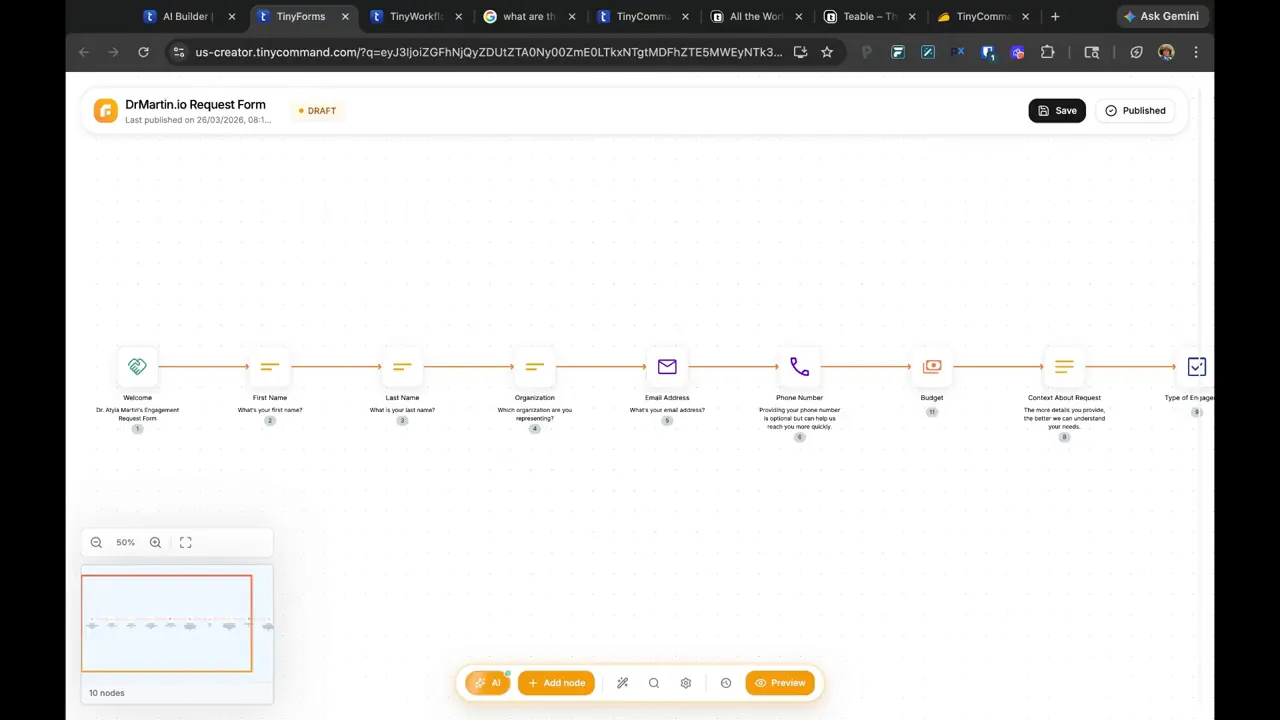
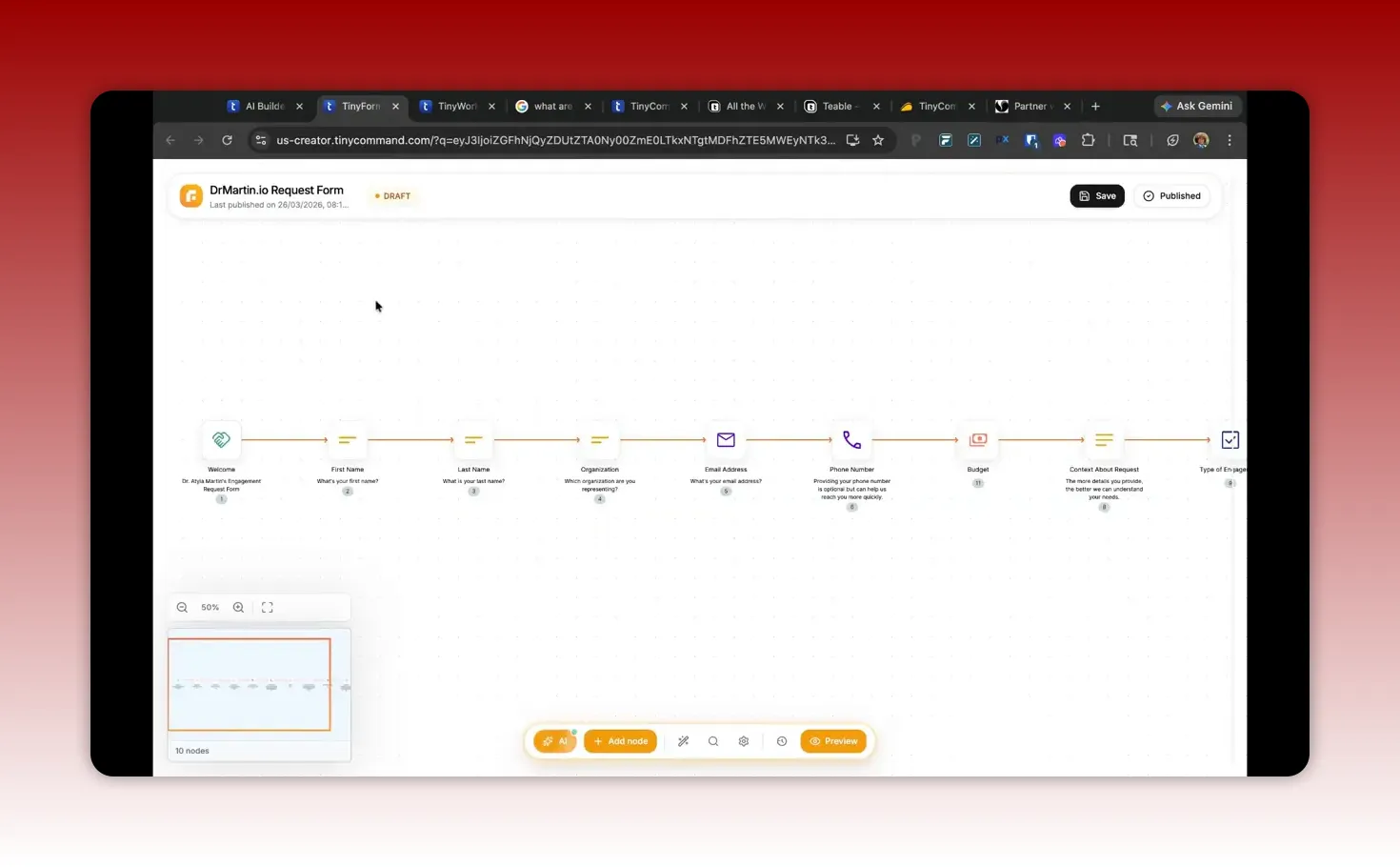
TinyForms are the front end. You define fields such as business name, contact info, budget, and the topic or partnership type. Importantly, you can add nodes inside the form to execute real-time actions (for example, calling an API when the user enters an email).
TinyTables: store and organize structured submissions
Although you can route logic without heavy table usage, TinyTables become valuable when you want visibility. They are useful for tracking submissions, debugging workflow behavior, and building reporting around conversion outcomes.
TinyWorkflow: automate logic after submission
TinyWorkflow is where you orchestrate enrichment, AI drafting, conditional routing, and follow-up execution. For most lead qualification systems, TinyWorkflow is the brain of the operation.
AI writing nodes: generate follow-up emails from context
AI writing nodes can draft outreach emails using a prompt structure plus enriched data. The highest quality results usually come from:
Using clear input fields (name, company, budget, objectives).
Feeding a consistent “context block” from enrichment steps.
Defining tone and length requirements.
Step-by-step architecture: a website form that qualifies leads
Below is a practical end-to-end design for a “speaking engagement” or “partnership request” style flow. You can adapt the thresholds and messaging to your service.
1) Design the form fields to enable branching
Your form must include the inputs you will branch on later. A reliable pattern is:
Contact fields: first name, last name, email, phone (optional).
Company context: organization name and organization domain.
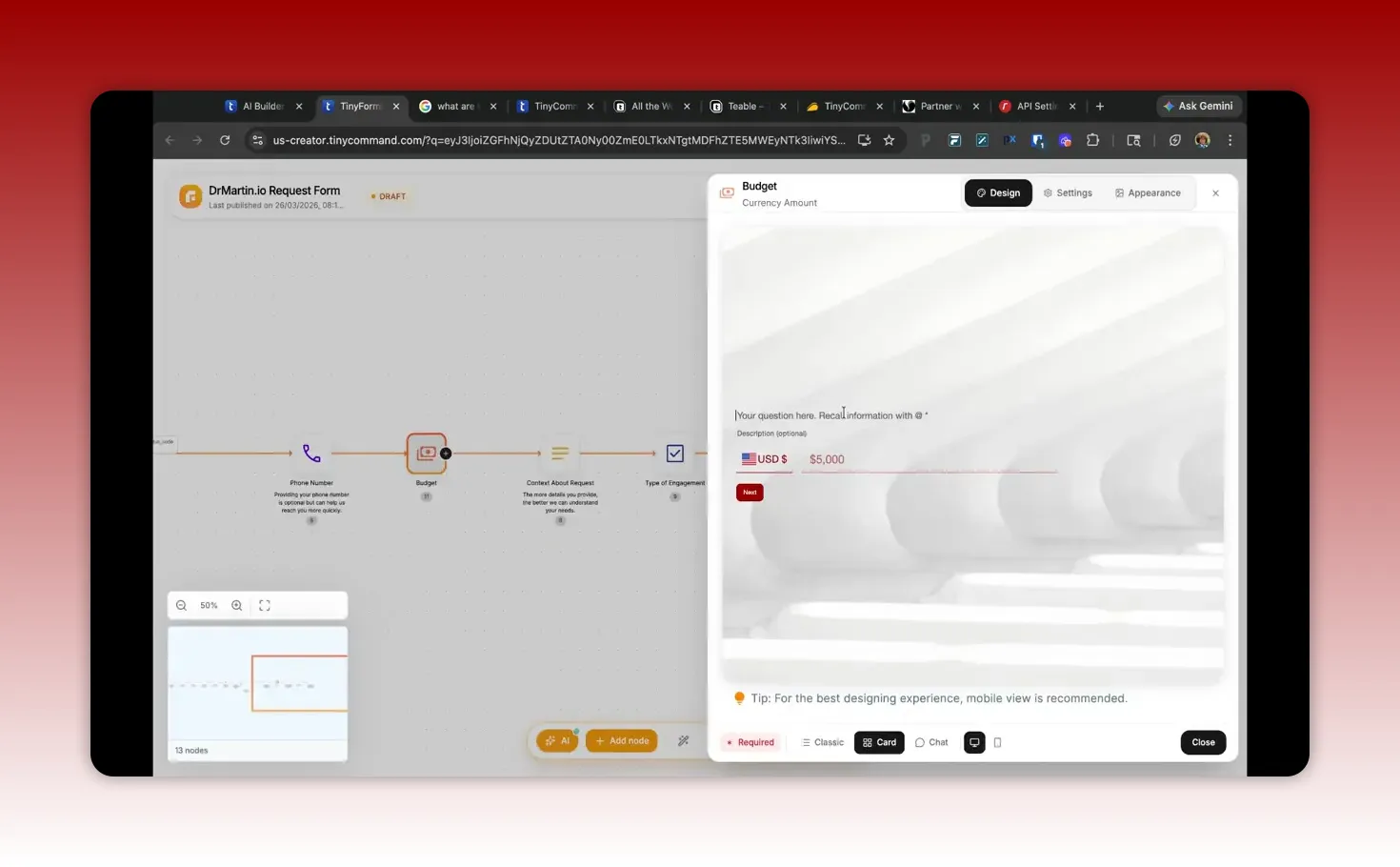
Budget as a numeric field: estimated budget with currency awareness.
Topic or request description: what the applicant wants to do together.
When numeric fields are configured correctly, conditional nodes can reference the numeric “value” portion rather than treating the input as text.
2) Validate critical inputs in real time (optional but high impact)
Real-time validation reduces wasted automations and improves deliverability. A common approach is:
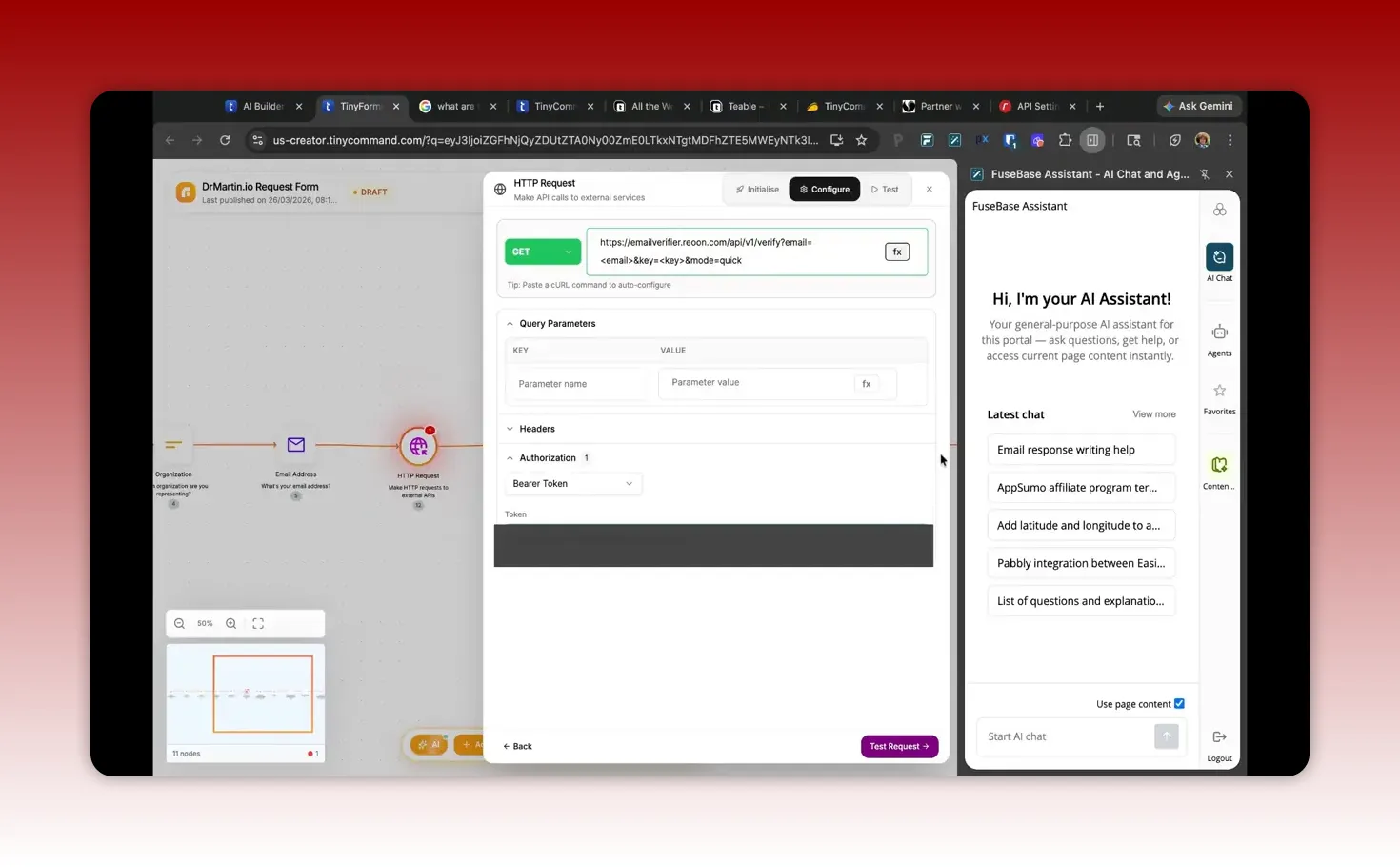
Add an email validation node inside the form.
Use an HTTP request node to call a validation API when the email field is entered or submitted.
Branch based on the HTTP status code or validation result.
Return a message to the user if the input is invalid.
This style of form-level validation can make your workflow feel “smart” while preventing bad data from entering your pipeline.
3) Trigger a workflow when the form is submitted
After the form is published, create a TinyWorkflow that starts with a “new form submission” trigger. That trigger should expose all form fields as variables you can map in later steps.
Key tip: if you update form fields later (for example, replacing a text field with a budget field), verify that the workflow trigger still maps to the correct variables.
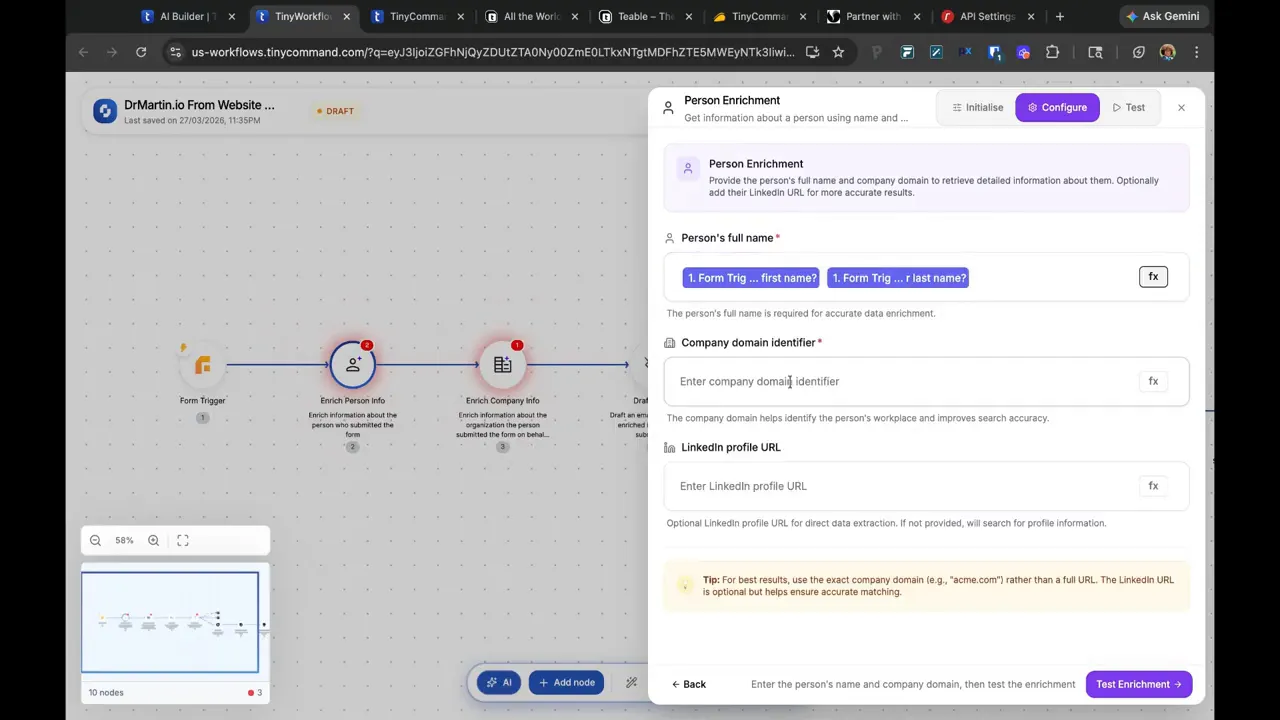
4) Enrich person and organization data
Enrichment is where you move from “basic lead capture” to “qualified, contextual outreach.” Typical enrichment steps include:
Person enrichment: derive full name, bio, role, and other context.
Organization enrichment: use company domain to pull organization description and relevant details.
Normalization: transform domain formats (for example, ensure the input includes or excludes protocol consistently).
Practical recommendation:
Store a “domain” field in the form to power the enrichment step.
Ask for domain input in a consistent format to avoid enrichment failures.
5) Draft the email with AI using a structured prompt
AI writing nodes work best when you treat the prompt like a reusable template.
A strong prompt structure includes:
Sender details: your business, what you do, and credibility.
Recipient details: contact name, enriched bio, organization summary.
Objective: what you want from the recipient (schedule a meeting, propose partnership, confirm availability).
Tone: warm, professional, concise.
Constraints: email length preference and any “must include” elements.
Also, connect AI drafting outputs to the actual email sending step. Some workflows may show the drafted email in testing but not send unless the subsequent sending node is correctly connected and configured.
Conditional routing: auto-email for qualified leads, human approval for the rest
A major advantage of building a qualification system is not that you can automate everything. It is that you can automate only what makes sense, while using human review where risk or uncertainty is high.
Use an if-else branch on numeric budget
In lead qualification, a budget threshold is a simple and effective gate. Your workflow should:
If estimated budget is greater than or equal to $5,000, send an email automatically using the AI draft.
If estimated budget is below $5,000, route to a human-in-the-loop approval step.
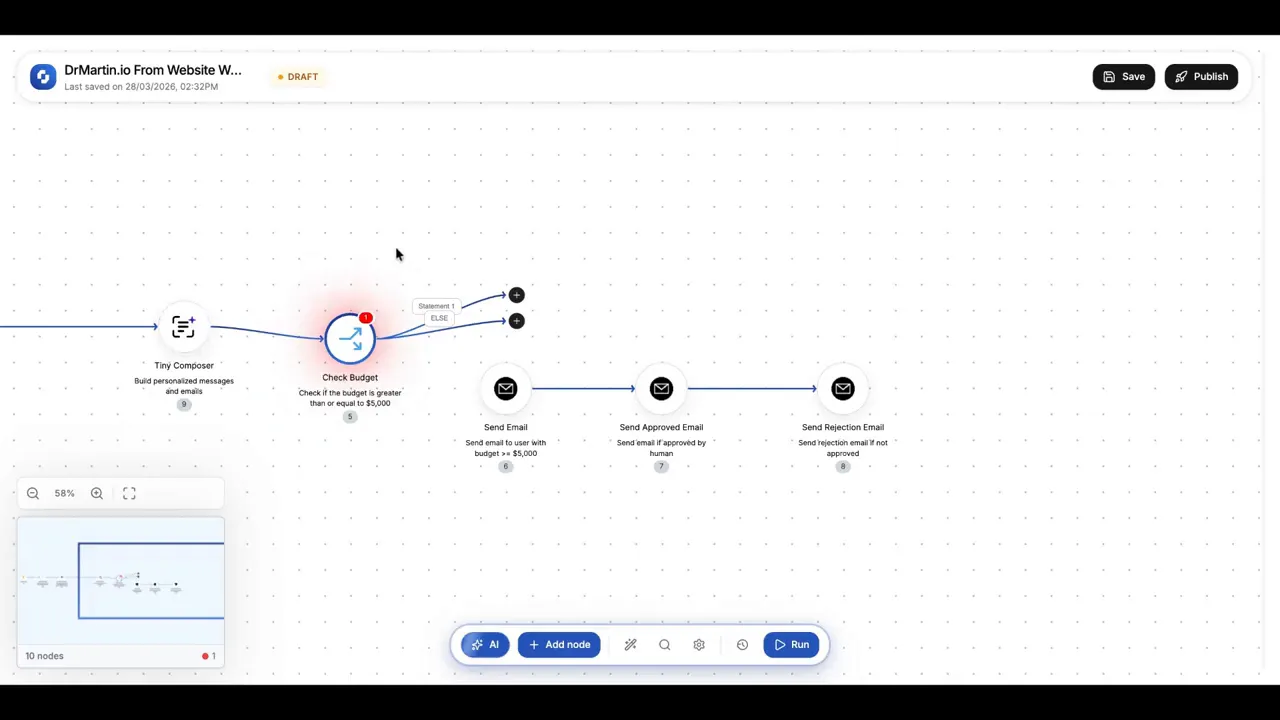
Edge case to watch: budget fields often store more than one part internally (currency code, country code, and the numeric value). If you do not select the numeric value in your condition, the branch may not evaluate correctly.
Implement “human-in-the-loop” approval
For below-threshold leads, route to a reviewer who can approve or reject. The reviewer receives a link or interface to decide.
Your review step should include:
Submitted form fields (name, email, topic, budget).
Enriched context (person bio or organization description).
A clear approve/reject decision interface.
Then define what happens after the decision:
If approved: send the same email that high-budget leads would have received automatically.
If rejected: send a polite rejection email that sets expectations and closes the loop.
Follow-ups after approval (optional): delay and outreach calls
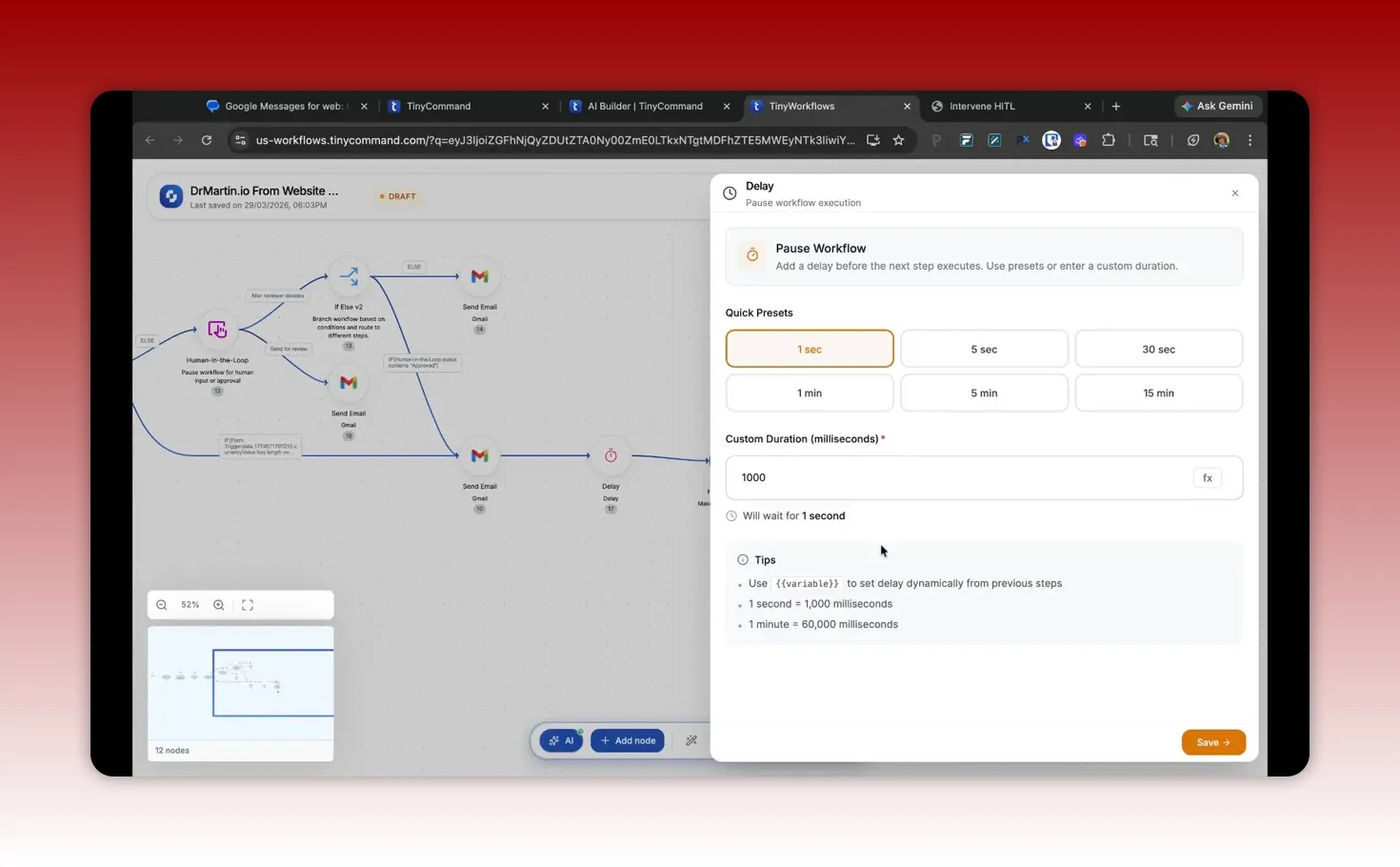
Once someone receives an approval email, you may want to schedule follow-ups. A common pattern is:
Send email immediately.
Wait a short delay (for example, 15 minutes) so it feels timely.
Trigger a phone-call scheduling agent via an API if needed.
Time delay considerations:
Some workflow systems may not support “one business day” as a single delay option.
Business-hours logic can be complicated. If you cannot schedule by business hours automatically, start with smaller delays that do not require complex calendaring.
Practical implementation tips that prevent wasted hours
Here are the most common issues that come up when building form-plus-automation systems in tools like TinyCommand. These are the kinds of problems that often lead people to think “the platform does not work,” when the real problem is mapping, wiring, or configuration details.
Tip 1: Treat form field type changes as workflow-breaking changes
If you change a field from text to a money/budget type, you must re-check:
The workflow trigger field mapping.
The if-else condition that references the budget variable.
Any nodes that use the budget field for calculations or API payloads.
Tip 2: Verify that email drafting is connected to the email sending node
AI nodes can generate output, but the workflow will not send it unless your sending node is configured to:
Use the correct “recipient email” variable.
Use the correct “email body/subject” output from the AI node.
Run on the correct branch (auto-approve vs human-approved).
Tip 3: Use real-time validation only for inputs that are worth protecting
Validation is valuable for fields like:
Email addresses
Domains
Critical IDs or required numeric ranges
Do not overuse API validation for low-value fields, because each validation call increases complexity and potential failure points.
Tip 4: Normalize domains (and make it part of the UX)
If enrichment uses a domain input, enforce a consistent input format:
Either ask for “domain only” (example: example.com)
Or ask for full URLs (example: https://example.com)
Choose one and align the enrichment step to it. If the enrichment expects one format, store and transform accordingly.
Tip 5: Plan your reviewer messages carefully
Human approval screens are most useful when they show enough context to make a decision quickly. A good template includes:
Why this lead might be a fit (from enriched description)
What they asked for (from the form description)
Budget value (from the budget field)
Contact details (email and name)
Also label inputs in the reviewer message so you can scan quickly.
Pitfalls and misconceptions
Misconception 1: “AI writing nodes automatically send emails”
AI writing nodes typically generate text. Sending requires a separate email sending action and correct wiring. Always confirm that the sending node is connected in the right branch and has the correct variables.
Misconception 2: “If I see a condition, it will evaluate correctly”
Numeric fields can be stored in structured form (value plus currency metadata). When setting conditions, reference the numeric value component rather than the container object.
Misconception 3: “Form templates are real templates”
Some platforms provide “templates” that are generated using AI prompts rather than true reusable blocks. If you want predictable structure for teams, use a documented workflow blueprint and verify the node list before production.
Pitfall: Node authorization and integrations setup
In many automation platforms, integrations must be authorized during node creation. Build a list of integrations you will need early:
Email provider OAuth
HTTP validation APIs
Enrichment APIs
Scheduling or call agents
Authorize everything early to avoid mid-build interruptions.
Checklist: build your first TinyCommand qualification workflow
Define your qualification rule (for example, budget threshold).
Create TinyForm fields with correct types (money/budget as numeric).
Add input validation for critical fields like email and domain (optional).
Create TinyWorkflow triggered on new form submission.
Enrich person and organization using domain and name fields.
Draft email content with AI using a structured prompt.
Add if-else routing based on the numeric budget value.
For low-budget leads, route to human approval with context.
Configure approve and reject outcomes (auto-send vs rejection email).
Add follow-up logic if desired (delay and call agent trigger).
Test with multiple scenarios (above threshold, below threshold, invalid email).
Publish only after validation that email sending actually occurs.
FAQ
Will TinyCommand replace all my tools for forms, automation, and email?
Often, yes for the workflow layer: capture, automation, AI drafting, and follow-up can be consolidated. You may still keep a CRM or scheduling tool if it is deeply integrated with your business processes.
How do I branch on budget if the budget field is stored as money with currency metadata?
Use the if-else condition builder to reference the numeric “value” within the budget field. Budget fields typically include currency details, so comparing the wrong subfield can cause conditions not to match.
Why does AI email generation show correct output but no email actually sends?
Because generating text is separate from sending. Confirm that the email sending node is connected to the AI draft output on the right branch and that the sending node has a valid recipient email variable.
Can I validate an email address in real time inside the form?
Yes. Use a form-level HTTP request to call an email validation service and show immediate feedback based on the response.
What is a good human-in-the-loop design for low-budget leads?
Create a reviewer decision step that includes enough context to make a quick judgment: submitted intent, enriched org/person information, and the budget. Approve routes to the auto-email path; reject routes to a rejection email.
How should I collect organization domain for enrichment?
Ask for domain in one consistent format (for example, “example.com”). Then align any enrichment scraping and URL parsing logic with that format.
Key takeaway
TinyCommand is most effective when you build systems, not isolated automations. A high-quality lead qualification workflow uses forms for structured intake, enrichment for context, AI writing for personalized messaging, conditional routing for budget-based triage, and human approval when certainty is low. When these pieces are connected cleanly, you reduce manual sorting while improving follow-up quality.
If you want, share your ideal qualification rule (budget threshold, lead categories, and what you want the next action to be), and I can outline a workflow blueprint with the nodes and data mapping you would need.
This article was created based on the video TinyCommand Deep Dive: Forms, Sheets, Automation, Emails & AI Agents.

