You manage growing volumes of data, and choosing the right tools can cut hours of busywork while keeping information organized and actionable. This guide highlights four solutions that help you centralize documents, automate workflows, and turn raw tables into usable dashboards so you can focus on decisions instead of digging for files.
Each pick is chosen to help you save time, reduce friction, and scale your processes with fewer tools to juggle. All prices are one-time payments unless otherwise noted (in this post, that would be Stackby)
Top Picks
| Category | Product | Price | Score |
| 🏆 Best AI Workspace | FuseBase | $79 | 95/100 |
| 🔰 Best Spreadsheet Database* | Stackby | Monthly | 80/100 |
| 🚀 Best for Dashboards | Teable | $69 | 88/100 |
| ⭐ Best Notion Alternative | Buildin | $49 | 85/100 |
* Recently left AppSumo. You can access Stackby here: https://docm.io/stackby
How I Chose
You need tools that are easy to adopt and actually reduce work, so I prioritized intuitive interfaces, strong integration capabilities, and meaningful automation. I looked for platforms that handle both structured data and unstructured content, because real workflows span documents, tables, and team communication.
Price and value mattered too, as did evidence of active development and support so you won’t be stuck with stagnant software.
🏆 Best AI Workspace
FuseBase
Automate teamwork, client collaboration, and busywork on secure, AI-powered workspaces with 24/7 agents
$79
Only on AppSumo until March 20, 2026 - get 16% off if you sign up for AppSumo annual membership or if you are a current member
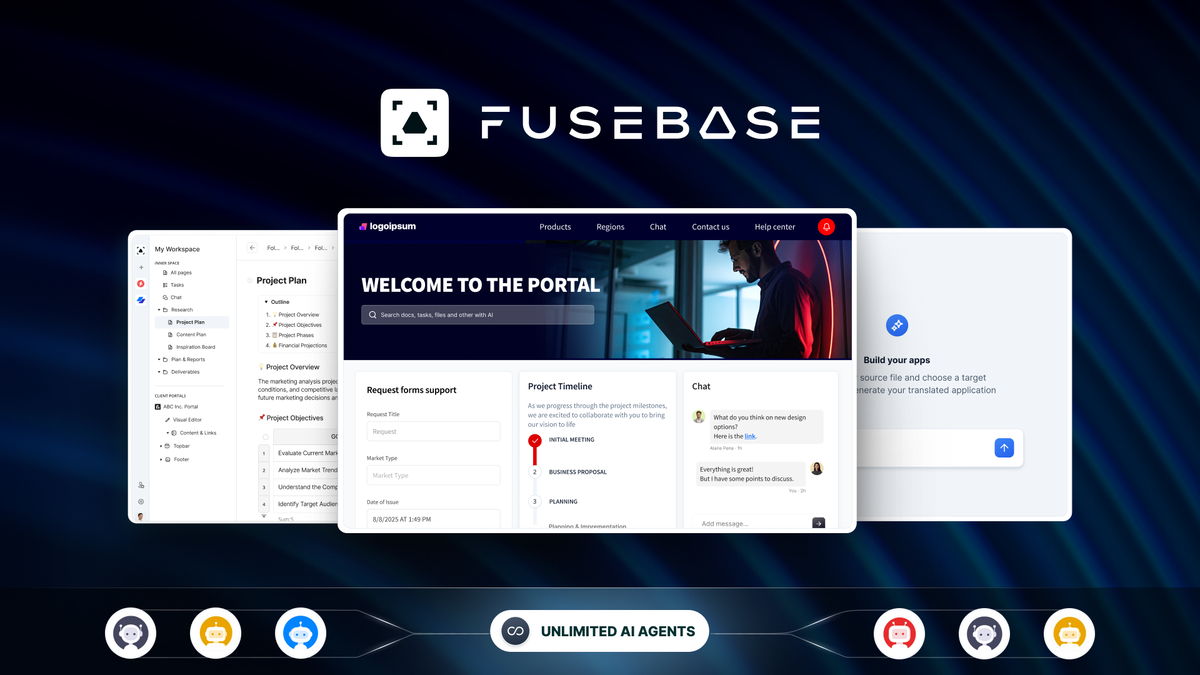
You get a modern AI-native workspace that combines notes, docs, portals, and automated assistants into a single hub. It’s built to capture web content, scan documents, and turn scattered files into searchable knowledge. On a day-to-day basis you can use it for SOPs, knowledge bases, and team collaboration; for special projects it becomes a client portal and central repository that reduces back-and-forth.
In 2026, FuseBase also added database functionality and the ability to create Apps based on their software architecture (yes, vibe coding).
I use FuseBase everyday personally, for my business, and nonprofit. If you want fewer tools and more built-in AI help, FuseBase is an easy platform to adopt and grow into.
What People Say
Customer feedback centers on productivity gains and practical features. Reviewers describe faster onboarding, reliable support, and AI features that turn long documents into usable summaries, which helps you spend less time hunting for info.
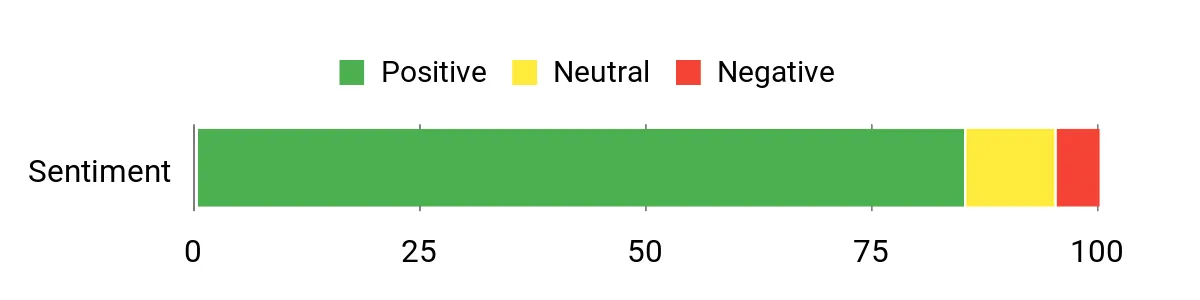
Overall Sentiment: Positive
🗣️ neumanc
You’ll notice the platform scales from solo work to team usage. One reviewer who runs a small agency says FuseBase replaced multiple tools for client collaboration and internal docs, and that support was responsive when issues came up.
🗣️ Strategix
If dashboards and AI helpers matter to you, another reviewer highlights the AI assistants that generate drafts, summarize long pages, and suggest workspace structure, making the product feel like an operational copilot rather than just a storage place.
Long-Term Cost Benefits
Buying a single platform for docs, portals, and AI assistants can reduce subscriptions and manual labor. With the current price versus the original listing, you get a lot of capability for a low upfront cost, and the time saved on searches, meetings, and repetitive tasks translates into ongoing operational savings.
Return On Investment
You recoup value through faster decision-making, fewer meetings, and less time spent searching for documents. For small teams and solopreneurs, improved SOPs and searchable knowledge mean new hires get productive faster, which shortens the payback period.
Usability
| Aspect | Ease Level | Notes |
| Interface | Easy | Clean, modern UI that reviewers say is intuitive and quick to learn. |
| Initial Setup | Moderate | Basic setup is straightforward; configuring portals and advanced AI features takes a little time. |
| Mobile & Sync | Easy | iOS and desktop apps sync well, so your notes and portals stay consistent across devices. |
Integration Capabilities
| Software | Integration Quality |
| MySQL | Good |
| PostgreSQL (Planned) | Planned |
| Document Scanners / Web Capture | Strong |
Collaboration
You can build shared workspaces, client portals, and password-protected public pages, and the AI assistants help keep everyone aligned by summarizing updates and answering questions inside your docs.
Industry Fit
Well suited for agencies, consultants, healthcare and government projects that need secure documentation and client portals, and also useful for solopreneurs building SOPs and knowledge bases.
Key Benefits
AI assistants for summarization and content generation
Centralized knowledge base and client portals
Fast web capture and document scanning
Scales from solo users to agency teams
Current Price: $79
Rating: 4.77 (total: 558+)
$79
🔰 Best Spreadsheet Database
Stackby
Use your spreadsheets to build custom databases and powerful automations
$8.3/user/month for 3 users (annually) or $18/user/month for 3 users (monthly)
You can turn familiar spreadsheet layouts into structured databases with automation and custom views, so your tabular data stops feeling like a mess of sheets. Day to day you’ll use it for task tracking, lightweight CRMs, and project boards; for special projects you can automate recurring imports, enrich rows with APIs, or build simple dashboards. Stackby can meet power users’ needs - it natively has an AI column type for large scale content generation.
If you like spreadsheets but need more structure and triggers, Stackby gives you a gentle upgrade without a steep learning curve.
What People Say
Feedback tends to praise how Stackby keeps the spreadsheet feel while adding automation and structure. People often mention it as a helpful bridge for teams who need more than raw sheets but don’t want a full database rebuild.
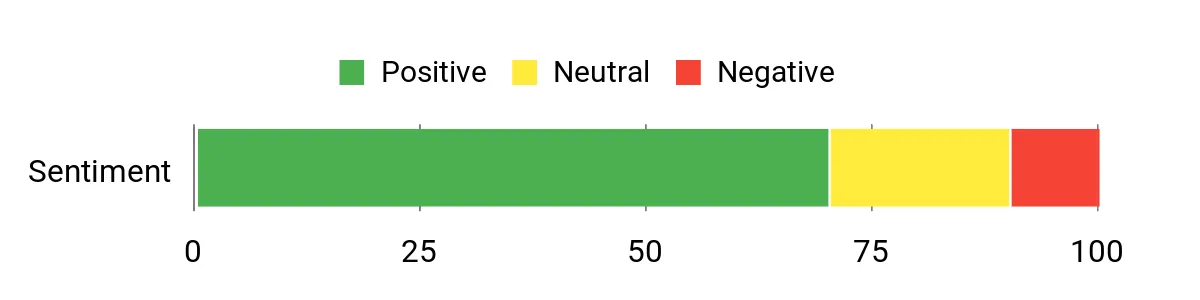
Overall Sentiment: Positive
Long-Term Cost Benefits
By consolidating spreadsheets, automations, and simple apps into one tool, you cut down on manual work and reduce the number of separate subscriptions you manage. That saves you time and recurring costs as workflows get automated.
Return On Investment
You get ROI through saved hours on data entry and fewer context switches between tools. For small teams, the time recovered from automated workflows and clearer data structure often pays back quickly.
Usability
| Aspect | Ease Level | Notes |
| Interface | Easy | Spreadsheet layout feels familiar and approachable for most users. |
| Automation Setup | Moderate | Building automations is straightforward but may require some trial and error for complex flows. |
| Collaboration | Easy | Shared tables and views make teamwork simple; permissions are basic but usable. |
Integration Capabilities
| Software | Integration Quality |
| Google Sheets | Good |
| Zapier | Strong |
| REST APIs | Flexible |
Collaboration
You can create shared tables, assign rows, and use multiple views for different teammates. Real-time edits and comment threads help keep work coordinated without switching tools.
Industry Fit
Great fit for marketing teams, operations, small agencies, and anyone who manages tabular data but wants automation and better views without a developer.
Key Benefits
Spreadsheet-style UI with database features
Custom automations to reduce repetitive work
Multiple views: grid, kanban, and forms
Familiar for non-technical users
Current Price:
Rating: 4.67 (total: 144+)
🚀 Best for Dashboards
Teable
Build an AI-native system for projects, CRM, and marketing
$69
You can turn raw tables into interactive dashboards and automated workflows without rebuilding everything from scratch. Teable combines a spreadsheet-like interface with AI-driven dashboard creation, smart automations, and a real REST API so data can flow in from scrapers, scripts, or other tools. Day to day you’ll use it to consolidate CSVs, monitor metrics, and trigger notifications. For bigger projects it becomes a central data layer that powers dashboards, analytics, and integrations.
If you want a platform that helps you analyze data faster and then share results, Teable makes that process feel much less fiddly.
What People Say
Users highlight Teable’s strength as a centralized data layer and praise its ability to convert messy inputs into usable dashboards. Feedback often mentions integrations, API reliability, and the time saved by automating visualizations.
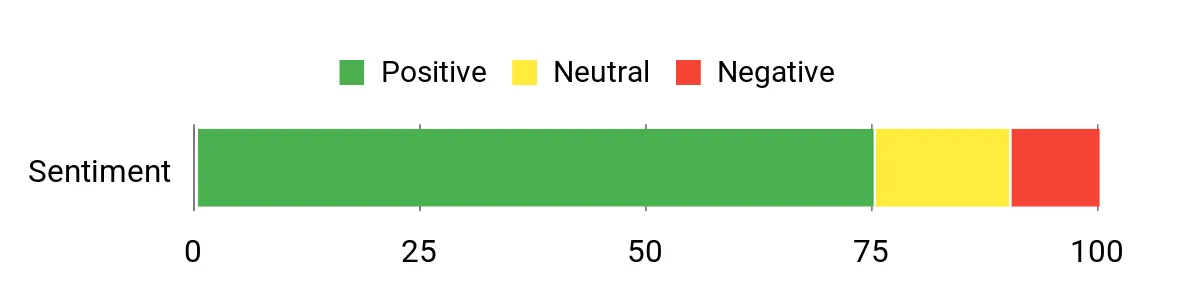
Overall Sentiment: Positive
🗣️ FullstackAIDUsman
I loaded property data from a scraper and was able to build dashboards that visualized insights quickly. The AI helped shape layouts, and the result was shareable dashboards you can iterate on instead of starting from scratch.
🗣️ medlars
I used Teable as the structured database in a complex automation stack: multiple tables, scheduled syncs, and reverse-read logic that saved API calls. The REST API and PostgreSQL foundation made integrations reliable and scalable.
Long-Term Cost Benefits
Centralizing data and automations cuts duplication across tools and reduces manual reporting time. Over time you’ll save on developer hours and multiple point solutions by using Teable as a single source of truth.
Return On Investment
You see ROI through faster reporting cycles, fewer manual exports, and lower API costs when you use patterns like reverse reads to avoid redundant calls. For teams that run regular syncs and analytics, those savings add up quickly.
Usability
| Aspect | Ease Level | Notes |
| Onboarding | Moderate | Getting data in is straightforward for common formats, but complex automations may take some experimentation. |
| Dashboard Builder | Easy | AI-driven dashboard creation speeds up layout and visualization choices, especially for initial drafts. |
| Maintenance | Moderate | Dashboards update well, though large schema changes require republishing or minor adjustments. |
Integration Capabilities
| Software | Integration Quality |
| REST API | Strong |
| PostgreSQL (under the hood) | Reliable |
| N8N / Zapier | Good |
Collaboration
You can publish dashboards, share tables with teammates, and use role-based views. Automations and publishable links make it easy to keep stakeholders in the loop without manual reports.
Industry Fit
A strong fit for analytics-driven teams, property and listings use cases, finance automation stacks, and any group that needs a structured database with easy dashboarding.
Key Benefits
AI-assisted dashboard creation and iteration
Spreadsheet UI with database-grade integrity
Clean REST API for automation and integrations
Flexible views: grids, kanban, and publishable dashboards
Current Price: $69
Rating: 4.4 (total: 35+)
⭐ Best Notion Alternative
Buildin
Create docs, manage projects, and sell premium content using an AI workspace that syncs across devices
$49
You get a Notion-like workspace that focuses on simple organization and cross-device sync. Buildin blends block-based docs, databases, and light project tools so you can capture ideas, run projects, and even publish or monetize content.
Day to day you’ll use it for meeting notes, task lists, and quick knowledge sharing; for bigger efforts it becomes a place to structure projects, share synced blocks, and hand off work to teammates. If you want a familiar editing experience with solid mobile apps, Buildin offers a gentle transition from other note tools.
What People Say
Users appreciate Buildin’s clean interface and multi-platform apps. Feedback commonly emphasizes how the app organizes projects and notes in a way that feels approachable for non-technical users. AppSumo users, AKA Sumolings, love Buildin. Many have publicly declared they immediately canceled their Notion subscription after using it.
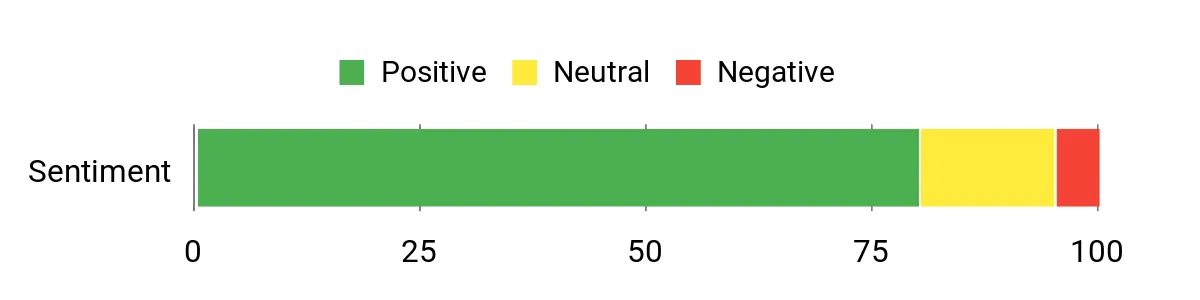
Overall Sentiment: Positive
🗣️ seschneider
The iOS app, Mac client, and web interface all feel polished and make collaboration easy. Reviewer noted the wiki and project features were mature and that the UI keeps things smooth when working with a partner.
🗣️ MonicoC
Several users mentioned Buildin’s clean, Notion-like vibe helped them finally organize scattered projects. One user said it provided a home for workflows and made managing tasks feel straightforward even without heavy technical skill.
Long-Term Cost Benefits
Consolidating docs, project tracking, and content publishing in one tool reduces the number of subscriptions you manage and cuts time spent switching between apps. Over months this lowers overhead for small teams.
Return On Investment
You recoup value through faster organization and fewer meetings. New collaborators find context quickly thanks to synced blocks and templates, which shortens ramp-up time and improves productivity.
Usability
| Aspect | Ease Level | Notes |
| Interface | Easy | Clean, familiar block editing that most people pick up quickly. |
| Mobile Apps | Easy | iOS and Mac apps are well-regarded for syncing and on-the-go edits. |
| Advanced Features | Moderate | Databases and some multi-block workflows require a bit of learning. |
Integration Capabilities
| Software | Integration Quality |
| iOS & Mac Apps | Good |
| Web Links / Sharing | Solid |
| Third-Party AI Agents | Developing |
Collaboration
Buildin supports shared pages, synced blocks, and templates so teams can collaborate with consistent content. Inline previews and quick add make reviewing and contributing easier for everyone.
Industry Fit
Best suited for freelancers, small teams, content creators, and anyone seeking a Notion-style workspace with strong mobile support and simple project tools.
Key Benefits
Familiar block-based editing with synced blocks
Polished iOS, Mac, and web apps for cross-device work
Templates and quick sidebar flow for fast note creation
Simple project features without a steep learning curve
Current Price: $49
Rating: 4.65 (total: 31+)
FAQ
Which Tool Fits My Needs?
Start from the problem you want to solve. If you need a central, AI-driven hub for docs, SOPs, and client portals, FuseBase is built as an AI workspace. If your work lives in spreadsheets and you want structured databases plus automations, Stackby keeps the familiar grid while adding triggers.
Choose Teable when dashboards and data analysis are the priority, and pick Buildin if you want a Notion-like editor with strong mobile apps. A quick tip: pick the product that solves your biggest daily pain first, then add others as integrations when needed.
Can These Tools Integrate With My Workflow?
Yes, most of these platforms are designed to play well with other tools through CSV import, REST APIs, or services like Zapier and N8N. Teable and Stackby expose APIs and work smoothly as a central data layer, while FuseBase already lists MySQL integrations and portal features for client sharing.
Start by prototyping with a single dataset so you can test syncs and automations, and be mindful of any usage models—Teable’s AI-driven features use credits, so plan how often automatic rebuilds or AI operations will run.
How Should I Think About Cost And ROI?
Look beyond the sticker price and estimate the time you’ll reclaim by consolidating tools. Upfront costs in this roundup range from about $49 to $99, but the real value comes from time saved, fewer subscriptions, and reduced manual reporting. Run a short pilot with representative tasks, track hours saved, and check for extra costs like premium credits or higher tiers as usage grows.
If the platform shortens onboarding, cuts meeting time, or eliminates repetitive work, the payback period can be very short.
What Users Prefer
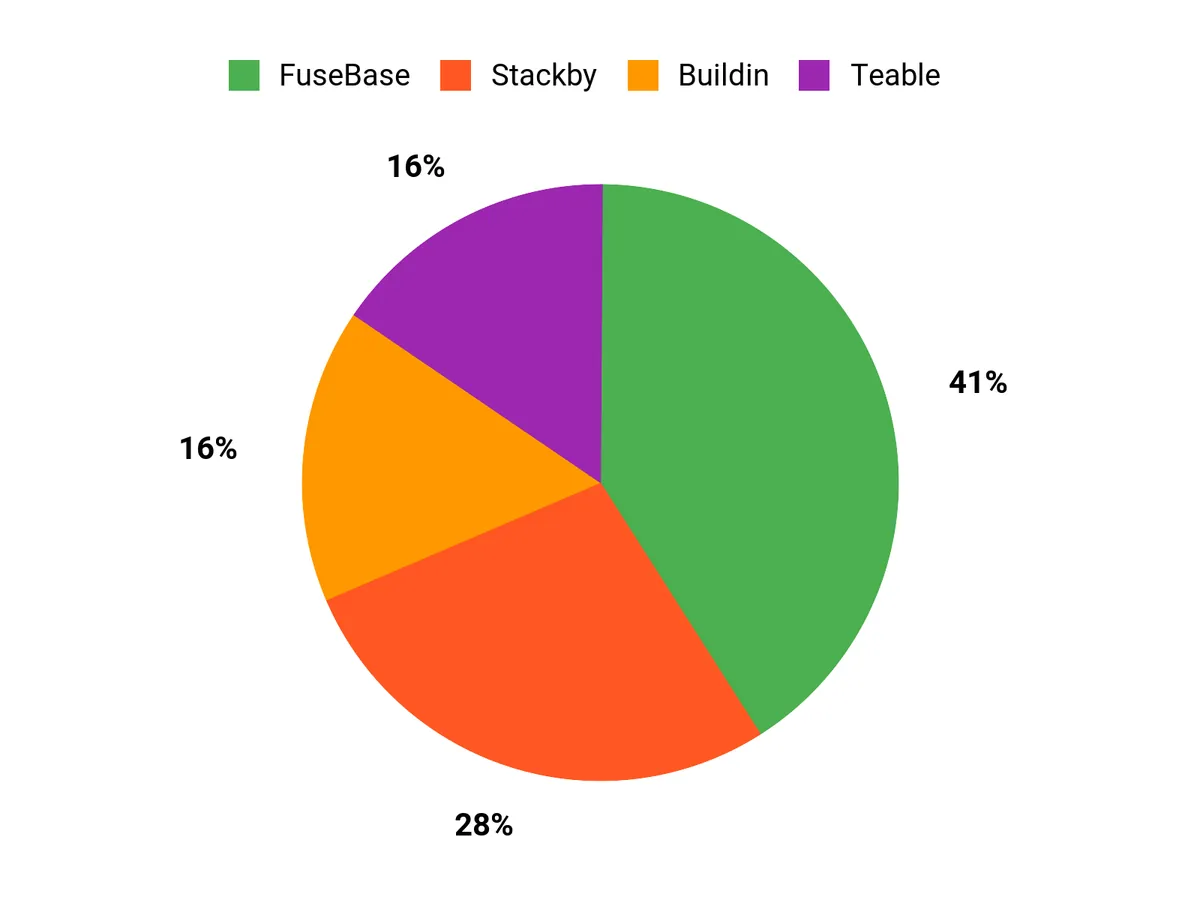
When choosing between FuseBase, Stackby, and Teable, you usually weigh whether you want an AI-driven knowledge hub, a familiar spreadsheet-to-database workflow, or a dashboard-focused analytics layer. You also prioritize ease of integration, how much automation you need, and the price versus time saved, so pick the tool that best matches your daily workflow and growth plans.
Wrapping Up
If you want an AI-driven knowledge hub and strong team collaboration, FuseBase is the most complete pick. Use Stackby when you prefer spreadsheet-style databases and need custom automations that feel familiar. Choose Teable when dashboards and data analysis are central to your work and you want AI to accelerate insights.
If you’re looking for a clean Notion-like workspace that syncs across devices and balances documents with project features, Buildin is an efficient choice. Each tool solves a different part of your data stack, so match the pick to the way you work to get the most benefit.
This Roundup is reader-supported. When you click through links I may earn a referral commission on qualifying purchases.


